Author: Micah Shippee

  • Create your own Augmented Reality location-based adventure! #edtech

    I have had the opportunity to share multiple ways of incorporating location-based data in both virtual and augmented reality. One of my favorites methods has been the use of Wikitude’s developer zone which was leveraging Google my maps content in the form of KML files to publish AR content. I just found out today from Wikitude that this publishing service is no longer offered… talk about living it beta! I wanted to share with you and alternative method introduced to me by my colleague, Jeff Crews (@crewsertech),, called Metaverse.


    After investigating Metaverse I found that not only does it do the same things as the Wikitude AR process but it actually does significantly more. Metaverse is a very powerful platform for producing multiple forms of AR, everything from multiple choice questions, to using your camera to do a Google Image Search, to geo-location experiences. And Metaverse is free (it’s appropriate to be excited) with many tutorials available on their YouTube channel.


    In this particular blog, I would like to focus on the Metaverse process of creating location-based experiences in AR as a means to replace, and go beyond, the Wikitude process I have shared with many of you.


    Before going into this process you should try out the Metaverse “How to: Silicon Valley Hot Dog” example. It sounds pretty silly, but it is an incredibly powerful tool with many uses. Creating this example will also give you an “experience” to use in the steps below.


    Here are the steps reviewed in this tutorial.

    1. Click on the Gear (Initial Scene)
    2. Click on “Experience type” on the left-hand side.
    3. Change the position to a “Fixed position”
    4. A position map will appear on the left, click on it to open it.
    5. Use the search box to identify the location you would like to use for your AR experience.

    NOTE: The pencil in the bottom left-hand corner will allow you to input GPS coordinates. Also note, the image and blue dot are not drag-able, so you must drag the map to bring your target location into the center (under the blue dot).

    1. Click “Update location” and the experience will appear when users arrive near your location.
    2. To make the experience accessible to anyone, Click on “Discovery”  and turn on the “Allow standalone discovery” feature. Anyone walking near your location will see your experience and be able to participate.
  • With so many options in #EdTech, where should we invest our time and efforts?

    With so many options in #EdTech, where should we invest our time and efforts?

    The world of educational technology can be overwhelming. There are so many examples of emergent technology for educators to review, begging the question: Which tools are worth our time?

    Many reading this blog are tech coaches, geeky teachers, and/or instructional technologists looking to stay ahead of the game. In any of these roles it is important for us to think of our station as that of an edtech champion. That is, someone who is known as a credible expert in edtech with a track record of planning and developing edtech roll-out through instructional application, providing PD, and/or purchasing the tech. We use our networking skills to effectively and efficiently recommend the latest and greatest as they are relevant to our instructional context. While many of us embrace our chosen path, we are constantly concerned with our time, effort, and advocacy being well spent. The challenge is on us to stay on top of emergent technologies as they relate to education.

    PROBLEM: While many of us embrace our chosen path, we are constantly concerned with our time, effort, and advocacy being well spent. The challenge is on us to stay on top of emergent technologies as they relate to education.

    SOLUTION: One important method of exploring emergent technology is to focus on what is, and what is going to be, relevant for our students. I have found help through exploring the Gartner Hyper Cycle for Emerging Technologies, which is released every year to describe the business potential of new technology.

    Emerging-Technology-Hype-Cycle-for-2017_Infographic_R6A

    I know, I know: it’s riddled with non-education speak, but understanding what’s going on here can really help us out… bear with me.

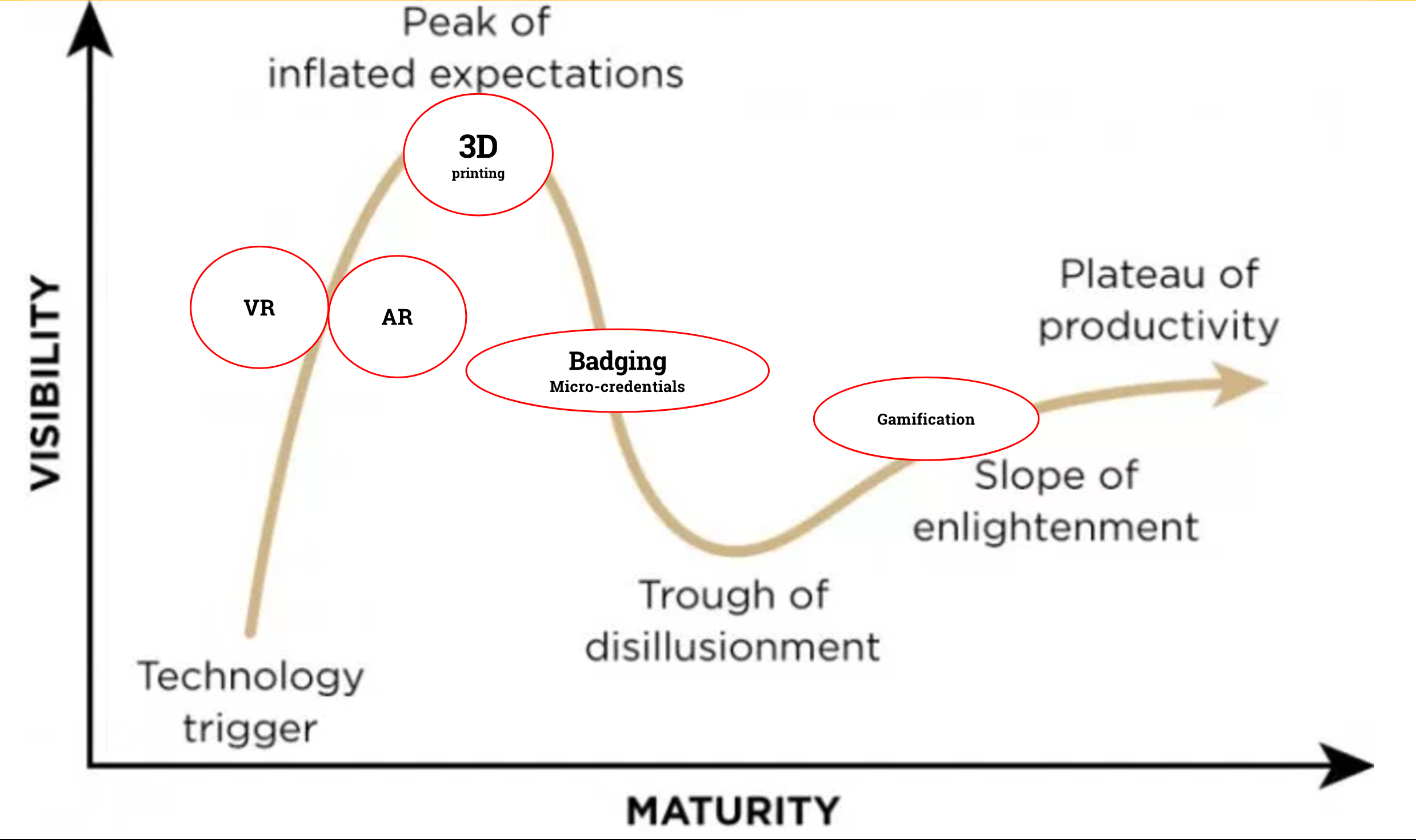
    The x-axis of the cycle describes time-related concepts which need further elaboration…

    Technology Trigger: A potential technology breakthrough kicks things off. Early proof-of-concept stories and media interest trigger significant publicity. Often no usable products exist and commercial viability is unproven.

    Peak of Inflated Expectations: Early publicity produces a number of success stories—often accompanied by scores of failures.

    Trough of Disillusionment: Interest wanes as experiments and implementations fail to deliver. Producers of the technology shake out or fail. Investment continues only if the surviving providers improve their products to the satisfaction of early adopters.

    Slope of Enlightenment: More instances of how the technology can benefit the enterprise start to crystallize and become more widely understood. Second- and third-generation products appear from technology providers. More enterprises fund pilots; conservative companies remain cautious.

    Plateau of Productivity: Mainstream adoption starts to take off.

    In short, this is how the tech world thinks about investing lots of money in the next big thing. Maybe we in education should listen for the inside scoop.


    Check out what Mike J. Walker, Gartner Research Director says about their latest findings:

    “Organizations will continue to be faced with rapidly accelerating technology innovation that will profoundly impact the way they deal with their workforces, customers, and partners…”

    Two things to focus on here:

    1. In education it is our job to prepare students for this rapidly, accelerating world. We have to be prepared to rapidly adapt with the relevant workforce changes.

    2. We could easily change a few words for educational-synonyms and have a pretty direct correlataion to our educational world.

    That being said, the 2017 Hyper Cycle points to three trends AI Everywhere, Transparently Immersive Experiences, and Digital Platforms.

    Screen Shot 2017-08-23 at 9.49.53 AM

    Fortunately for us, Gartner also has an educational interpretation of their findings, from which I have created the following (modest) Hype Cycle:

    Screen Shot 2017-08-23 at 9.55.18 AM

    I know, I know: why didn’t you just lead off with this?!?!? Context, it’s super important!

    These findings reveal educational applications that are not unfamiliar to us in education, rather, these findings should confirm our current efforts and bolster our drive. The afore mentioned educational findings delve more topics, but off the top, these areas are where it’s at.

    I hope this helps in your efforts to hold up the edtech mantle and lead the charge!

  • Educators: Share your Augmented Reality lessons, projects, ideas and examples…

    Educators: Share your Augmented Reality lessons, projects, ideas and examples…

    AR Form Banner

    Share your Augmented Reality examples!

    I am excited to launch a database to collect examples of Augmented Reality for educational use. It has been my experience that when educators come together and share some really powerful opportunities present themselves to reach the needs of all of our students. It is my hope that you would consider contributing to this Google form which will collect Augmented Reality examples from educators. Also feel free to share out this form to allow other educators to contribute. Along with the form is a link to this database which I hope will continue to grow and overtime allow us to have access to an increasing amount of examples. 

    agumentEDU

    screen-shot-2017-01-31-at-8-15-14-pm

    gif (1)

  • Augmented Reality Insights from #ISTE2017 #edtech @MergeVR @GoogleForEdu @Lifeliqe

    Augmented Reality Insights from #ISTE2017 #edtech @MergeVR @GoogleForEdu @Lifeliqe

    I just got back from ISTE 2017 in San Antonio Texas. Saw some really cool things with emergent technology that I’d like to report on. Specifically, I was excited about some of the augmented reality products that I see coming and becoming increasingly accessible for educational use.

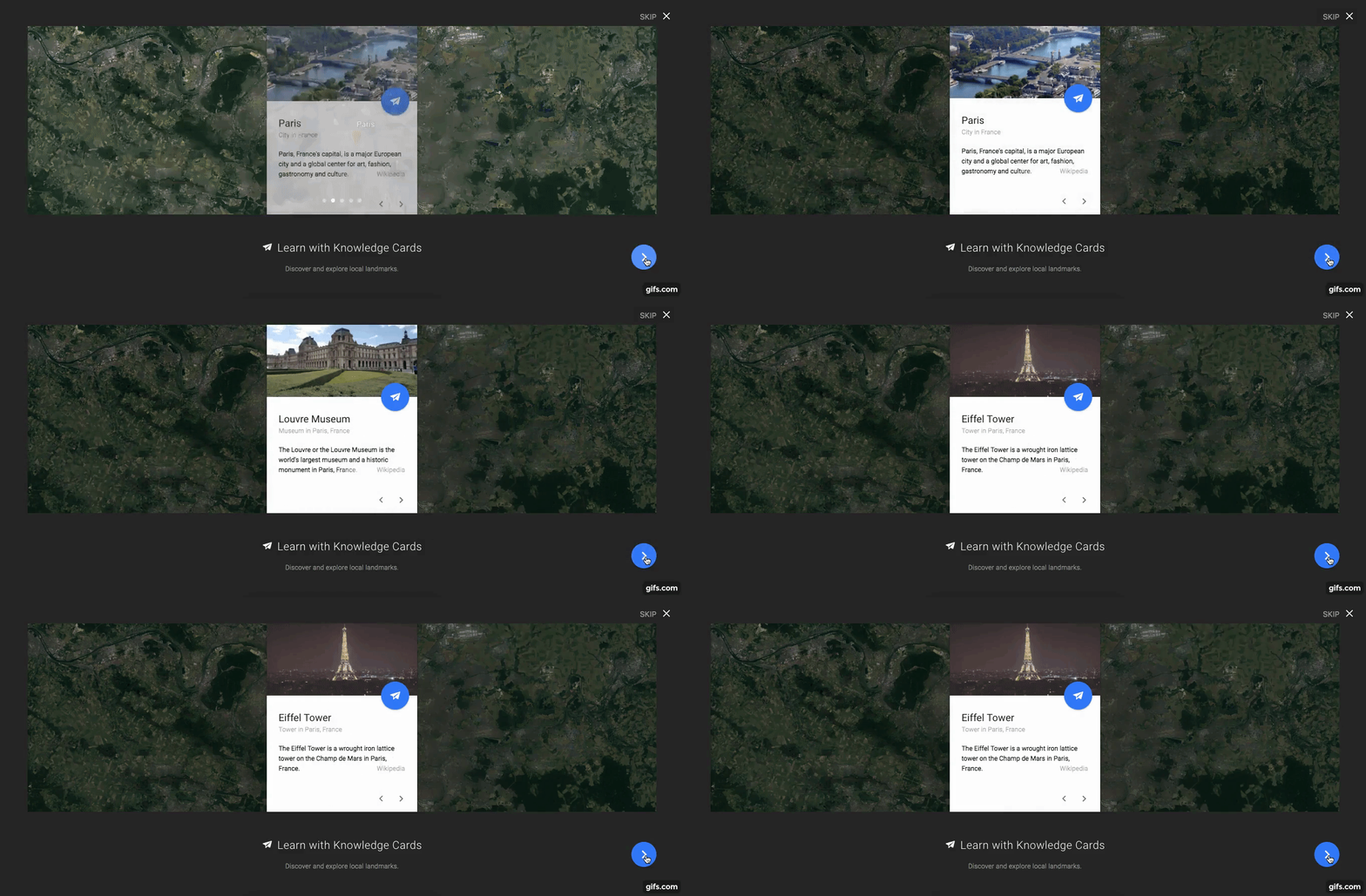
    First, I was impressed by what I saw with the Google Expeditions AR project. I spent some time with the Expeditions AR selfie sticks, playing with their AR experience. Here’s a video of me going through a blood vessel you can see the red blood cells as we go right through it.

    gif (1).gif

    A pretty cool product. I’m really excited to see that Google Expeditions AR is taking the collaborative feature which we can use in Google Expeditions (VR) and bringing it into an augmented reality world. This will allowed for impressive shared-experiences within our classroom, keeping us mentally and physically present in the learning space. I’m not sure when the full rollout of this is going to happen but I know that the Google Expeditions AR folks are looking for pilot schools to test out the product and get it ready for a full-scale K-12 availability. If you are interested in being a pilot school fill out this form: https://goo.gl/N8EDii. 

    During my augmented reality workshop at ISTE, I invited Jeremy from Merge Cube to bring in his product to give attendees some hands-on experience. The Merge Cube (www.mergevr.com) is a foam cube that reminds me a lot of what I saw with Elements 4D (http://elements4d.daqri.com/), which allowed you to take elements from the periodic table of elements put them underneath your phone (for AR) and you could see how they looked and changed as they were combined with chemicals that they are compatible with. Unfortunately, Elements 4D is no longer under any future development by Daqri, as they are now focusing their research and development on producing AR smart glasses.

    Merge Cube is taking AR and bringing it into this digital and physical world through smartphones that we already have access to. This will allow students to handle the manipulative and turn it and shift it use it as a game piece, or game board, all viewable through mobile technology. MergeVR will be selling their own viewer but, I tried it out with my Viewmaster AR and found the clicker allowed me to click through the features just fine. I had a chance to take this home with me and give a try with my 7 and 10-year-old and they were pretty excited about how easy it worked and how they were able to immerse themselves in an AR World pretty quickly. Look for Merge Cube in stores soon!

    IMG_1580.JPG

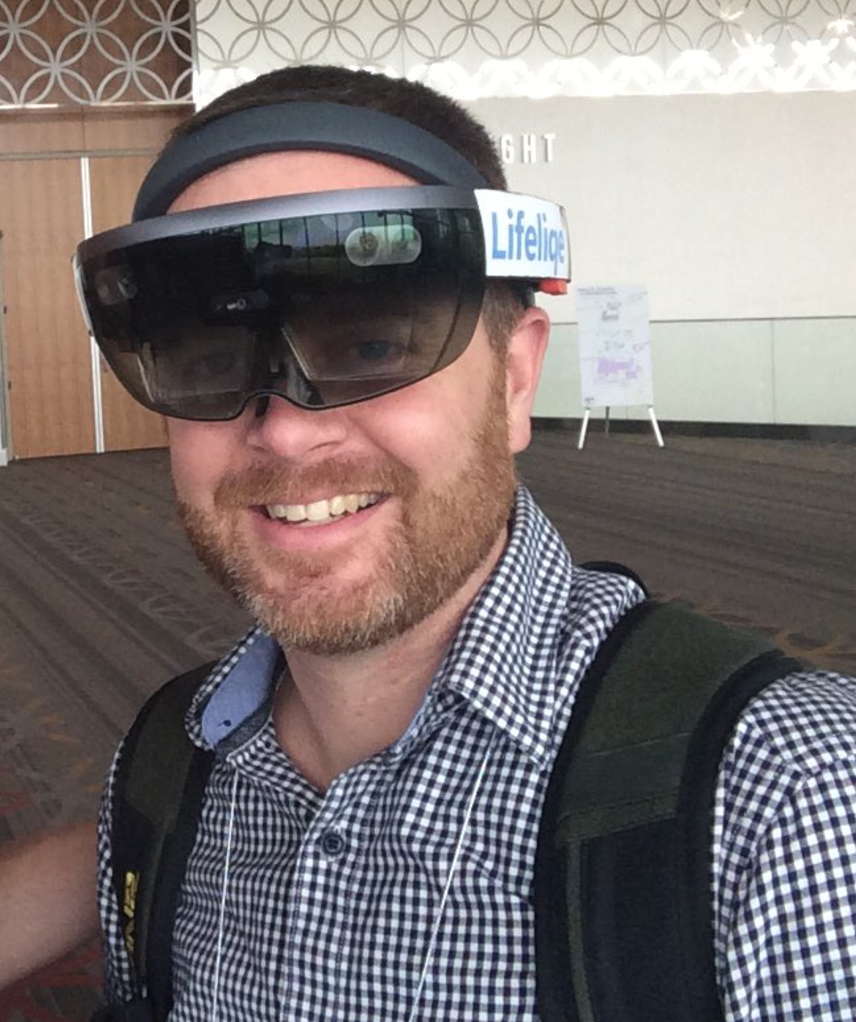
    At the Microsoft Partners Booth I worked a little bit with Martin from Lifeliqe. I found Lifeliqe was really cool especially when you experience it through the Hololens. They’ve been investing a lot of time in developing for the hololens anticipating that this is part of the future for education. The Lifeliqe app that has a free one month download of their features which are connected to various science textbooks as well as Next Gen Science learning standards. I recommend checking out Lifeliqe for their 1-month free trial and see if it’s a good fit for you. There are over 1000 different three-dimensional models available through the Lifeliqe app in IOS and Android. Their models are changeable you can move them up and down increase their size you can even record screenshots. Additionally, in the app, you have the ability to view in a are so if you were looking at a Stegosaurus you could actually put it on a table or on your friends head and record the process and insert it into a project slide show. Lifeliqe’s work with the hololens really looks like the way things are going, I had the opportunity to try it out a couple of times and found it is really cool to increase and decrease the size of a lunar eclipse as an example and walk through that lunar eclipse and get a real up close look at it. Additionally, what I wasn’t really ready for was to try out Lifeliqe VR.

    They’ve developed a several VR experiences for the HTC Vive these experiences are unbelievable I went for a tour of the International Space Station from space so I got to fly around the International Space Station and experienced their three-dimensional modeling.

    lifeliqe space station.jpg

    gif.gif

    I’ve seen video of people using HTC Vive and I’ve watched them play games and all that, but I never experienced it for myself. I’ll tell you right now the videos that we see do not do it justice this is a really powerful product that brings us into a VR world. I have really been spending most of my time looking at and thinking about, AR but honestly the VR stuff is really, really incredible and it really gets me closer and closer to that Star Trek Holodeck that we’re all waiting for.

    I think both AR and VR have a powerful future. In particular, augmented reality has come a really far away and as we saw at ISTE through several vendors. It’s really amazing what our students are going to very soon have access to. I don’t pretend to have seen every augmented reality experience at ISTE, and  I’m sure there are other ones that were pretty awesome. But the Tango-enabled Expeditions AR, Merge Cube, and Lifeliqe or the ones that really popped out to me that I got some Hands-On time with and wanted to share with you.

  • Pi for Everyone? #edtech #edtechchat #raspberrypi

    Pi for Everyone? #edtech #edtechchat #raspberrypi

    raspberry-pi-logo

    As an educator my own three children often have to deal with my efforts to prepare them for our uncertain future. My latest journey into preparing for the unknown has led me to explore the Raspberry Pi as a tool for teaching coding for my 7 and 9 year old. Being a total novice, with ideas of grandeur,  I researched the best way to enter into the world of Raspberry Pi and bought my 7 years old a Kano Computer ($150). We set off to build the new computer… and we had it done in 10 minutes, a bit underwhelming for a lego-master-builder-family. Once we plugged the device into our HDMI-ready TV my 7-year-old immediately began the gamified-badging-process to both block-code (hack Minecraft) and Python-code to build a snake game. I found Kano’s packaging and age-appropriate content to be effective and efficient for my 7-year-old. And it all came with a Chrome browser.

    Screen Shot 2017-05-04 at 10.08.28 AM          Super impressed by what I saw, I began investigating more Raspberry Pi applications and build projects more applicable for my 9-year-old. Enter the Raspberry Pi Lunchbox project. We ordered a Raspberry Pi, Touch Screen, and Micro-SD card to create our own computer from a more Spartan approach than Kano’s pre-packaged system. Our goal was to create a Raspberry Pi Lunchbox computer, a wireless system powered by a RavPower portable charger.

    Screen Shot 2017-05-04 at 10.08.37 AM
    IMG_0652

             Our project was full of excellent problem-solving scenarios which led us to investigate various Operating Systems (OS) and installing software for both functionality and games. I think that my kids learned that problem solving takes resilience and the right DIY youtube video. All in all a super positive experience…

    So all of this begs the question: Is a step above 1:1 computing perhaps 1:1 DIY computing? We strive to support students in their careful and cautious 1:1 computing atmosphere but what if they actually built their own computer? Raspberry Pi Lunchboxes for everyone? Why not? It’s cheaper to build and repair and students will have a vested interest in what they have created.