Blog

  • Game Design: World War 1 Student Design Team Game Building Project

    Micah Shippee, PhD – Social Studies Teacher

    Ray Finney – Technology Teacher

    Kate Walsh – School Librarian

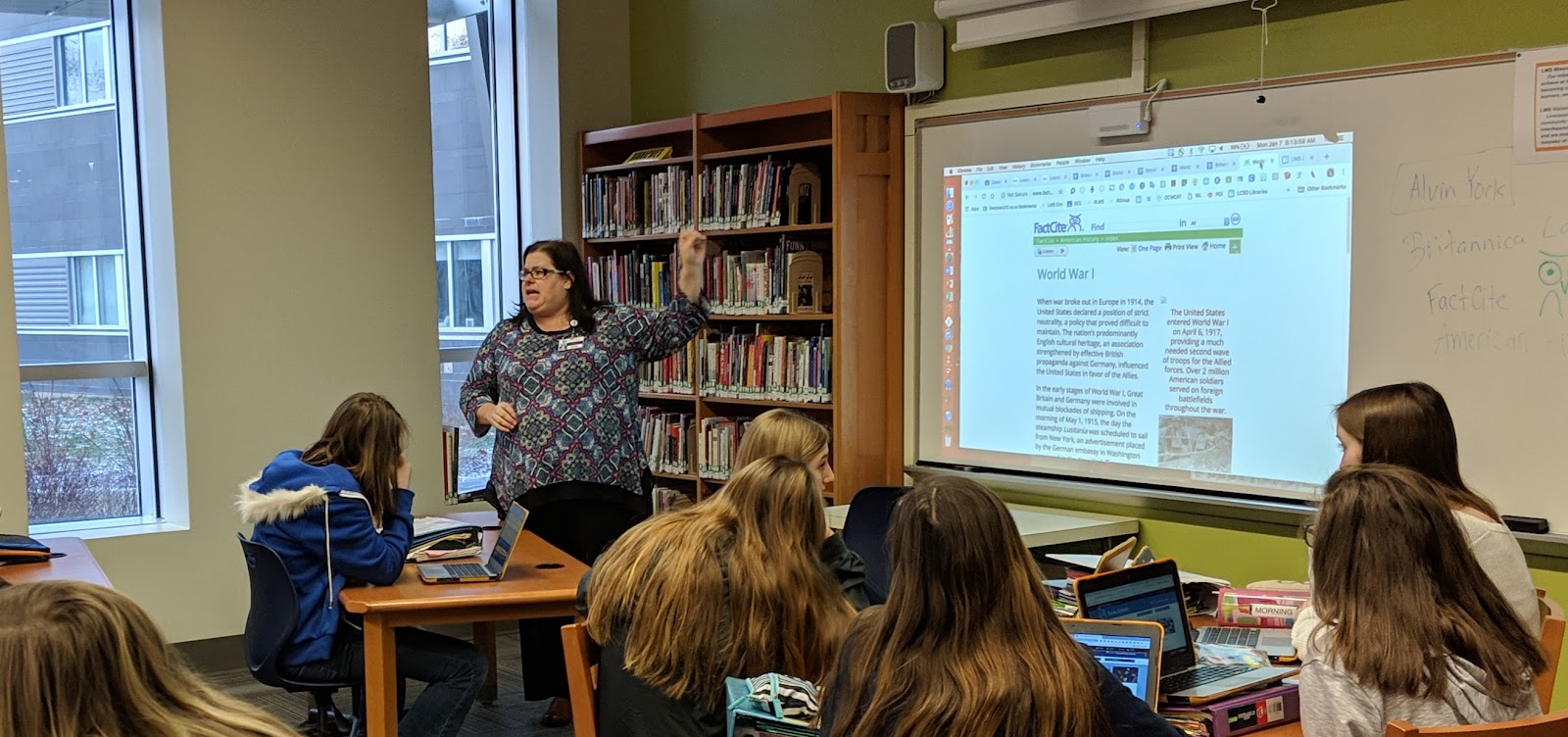
    The game design project described here was an interdisciplinary lesson between our eighth-grade social studies, technology, and library classes. With insight and support from Jon Spike, professor of Game Design and Learning at the University of Wisconsin – Whitewater.

    Project Introduction

    World War 1 started in 1914 and began an era of warfare unlike any other in history. As it was fought during a time of great change, the new technologies and amount of casualties created were staggering in comparison to wars fought even just a few years prior. These weapons not only changed the fighting they also changed the preparation needed by opposing sides. After all, most nations sent off soldiers to fight on horseback and with slow loading rifles. By War’s end the following innovations had been introduced: tanks, planes, machine guns, flamethrowers, grenades, gas weapons, as well as updates to submarines. During this project, students will work with a design team to research and develop a game that conceptualizes the impact of these technologies on World War 1.

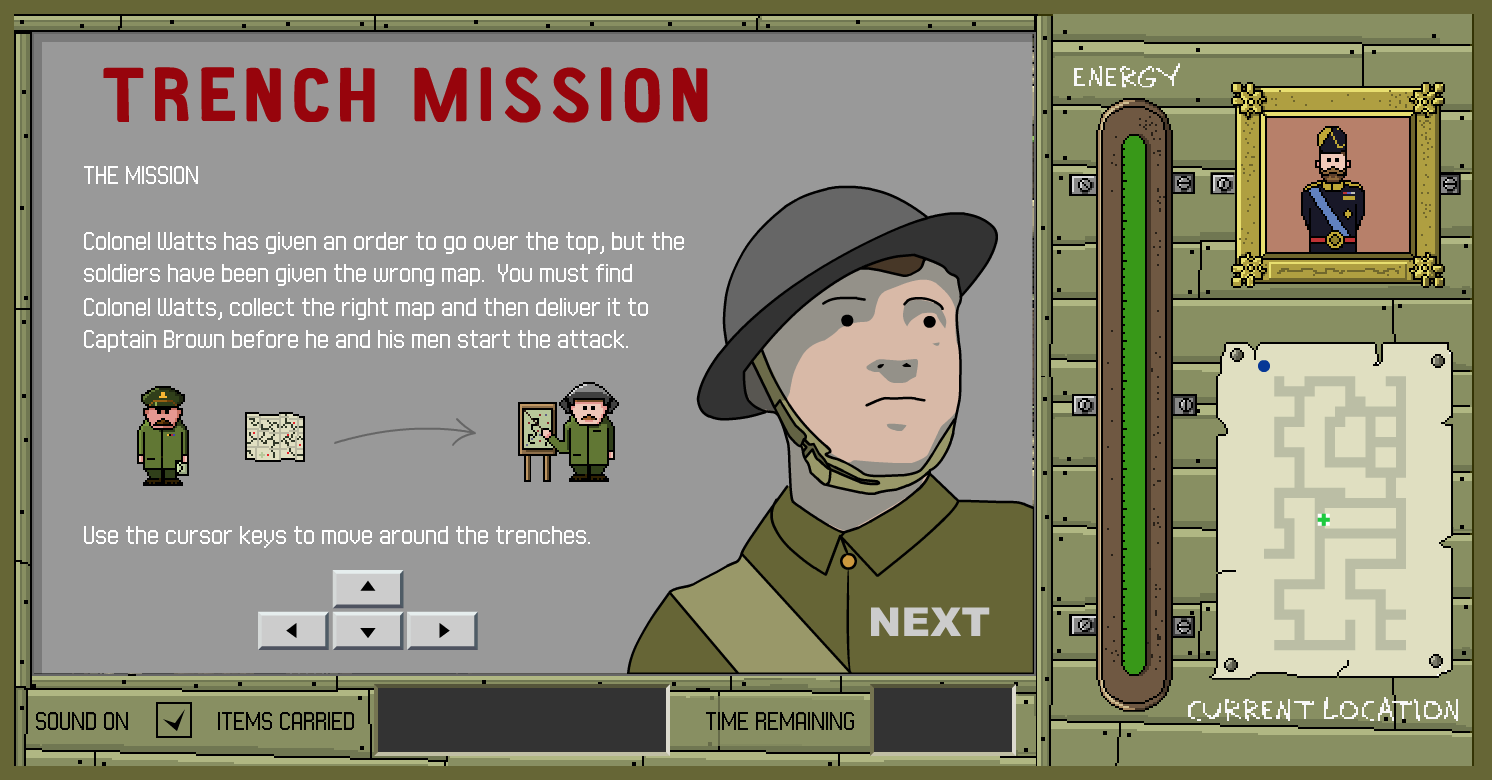
    We started our project with a brief discussion about gaming using two World War One games. Students played these content-specific games and we discussed historical accuracy and playability.

    Connecting with an Expert in Game Design

    “A game is a series of interesting choices.” – Sid Meier

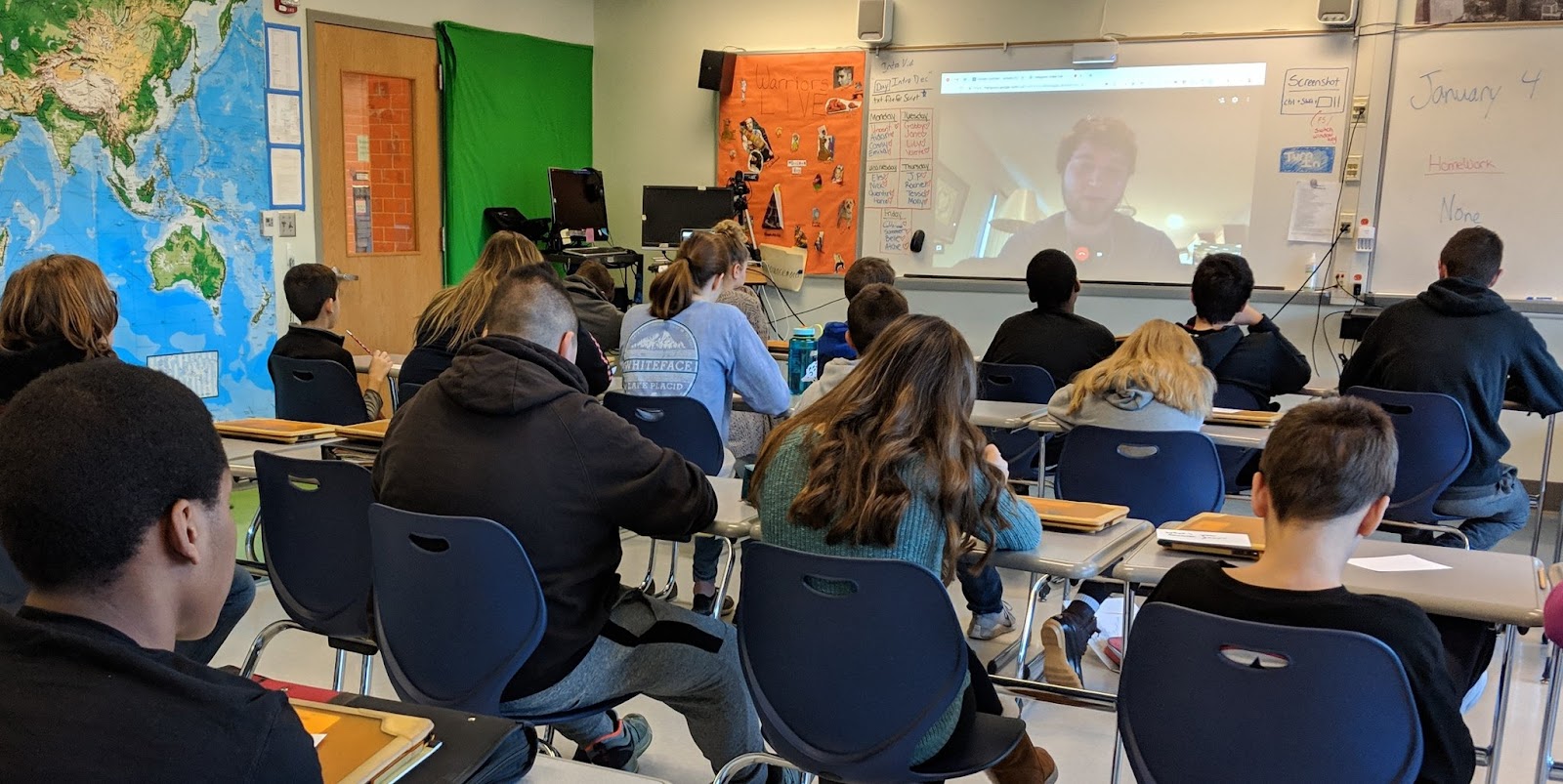
    Before diving into our game development we hosted a Class Video Chat (1.4.19) with Jonathan Spike (@Mr_JSpike), professor of Game Design and Learning at the University of Wisconsin – Whitewater. Jon is a Google Certified Innovator specializing in building games for education: www.gamestormedu.com. Jon was generous enough to meet with all five social studies classes throughout the day.

    Jon spoke with students about the importance of choices and prototyping in the game design process. Students were encouraged to make their game unique with a relevant challenge for their character(s). Jon also spoke about the importance of empathy in gameplay developing the concept of making choices for a character in a specific game context. The hardest part of game design, according to Jon, is connecting the goal of the game with the actual gameplay experience.

    WW1 Game Project Details

    Project Criteria

    Changes in Combat Technology Incorporate 2 items/topics from each of the 6 categories in Changes in Combat Technology list.

    Game Maps Build a map based on World War 1 battlefields

    Game Builder Guide Choose one game builder from the Game Builder Guide.

    Grades:

    Game design is about teamwork, students served as a member of a team and each of student needed to play to their strengths for the creation of the best game possible. Students received a homework grade for individual research completion and an individual homework grade for job completion (below).

    • Research: Each student was responsible for researching two items from the categories below. Students were directed to include the researched items in their final game. As a team they made sure that no two were researching the same items, this will allow the most widespread research to be conducted. Each student will turn in a Google Slide show with 2 slides, one slide for each topic researched. Each slide had:
      • 2 sources cited (MLA)
      • A paragraph describing what was researched and its impact on WW1
      • A picture of the item researched
    • Jobs: Here are the game design jobs students needed to choose from*:
      • Musician
        • Develop a Game Soundtrack for a video showing the game intro and gameplay. Students used GarageBand skills learned in Technology Class.
      • Storyteller
        • Create an Intro Video Script including text and images to be displayed in a 30-second intro. The Storyteller wrote a document that included an introduction to the game and the rules.
      • Artists
        • Design Game Graphics for the game includes images, map/game board, and a team logo.
      • Cinematographer
        • Capture/Record images and videos to be used in the iMovie. Also, create a Google Drive Folder for the whole group to share resources for video production.
      • Video Editor
        • Produce a Game Movie using iMovie, that includes a 30-45 second introduction to the game (trailer) and 30-45 seconds of gameplay. This grade will be assigned by Mr. Finney and apply to Technology class and Social Studies class. Here was Mr. Finney’s Sample Video: https://www.youtube.com/watch?v=3R53IUNlbK8&feature=youtu.be

    Changes in Combat Technology

    GUNS
    Machine Guns
    New Rifles
    New Bullets (Tracer)Pistols
    Artillery
    PLANES & AERIAL TECH
    Biplanes
    Dogfighting
    Interrupter Gear and Mounted Guns
    Zeppelins
    Reconnaissance
    Drones
    Air Traffic Control
    SUBMARINES & WATER TECH
    U-Boats/Submarines
    Depth Charges
    Convoys
    Aircraft Carriers
    Torpedoes
    Hydrophones
    TRENCH WARFARE
    Trench Construction
    “No Man’s Land”
    Flamethrowers
    Hand Grenades
    Trench Foot
    Disease
    POISONOUS GAS
    Chlorine Gas
    Mustard Gas
    Phosgene
    Tear Gas
    Gas Masks
    TANKS
    Little Willie
    British Tanks – Mark
    French Tanks – Renault
    German Tanks
    Anti-Tank Weapons

    Game Building References

    Game Maps

    The game students design should be based on key battles from World War 1. Students must identify the battles right in the game. Further, game maps should demonstrate damage already done to European lands, for example, students were asked to think about bombs being dropped and explosions on a flat landscape and how that would change the earth to literally look different, the map that of gameplay should illustrate this.

    Game Builder Guides

    Designing Board & Card Games

    Game Platforms

    Student Design Teams were directed to select one game platform to develop. The list below provided potential platforms for students to choose from.

    Draw Your Game

    Use this to create a Side Scroller, a type of video game where a side-view camera angle is used for action viewing.

    Scratch

    Slides-App If-Then Adventure Stories

    Use this to create a Choose Your Own Adventure story. An example of this game type for WW1 is https://www.warmuseum.ca/overthetop/

    Metaverse

    Use this to create a game in Augmented Reality  

    Cospaces

    Use this to create a game in Virtual Reality

    Board Games

    Board Game resources for more also use this…

    Card Games

    Card Game resources for more also use this…

    Student Games

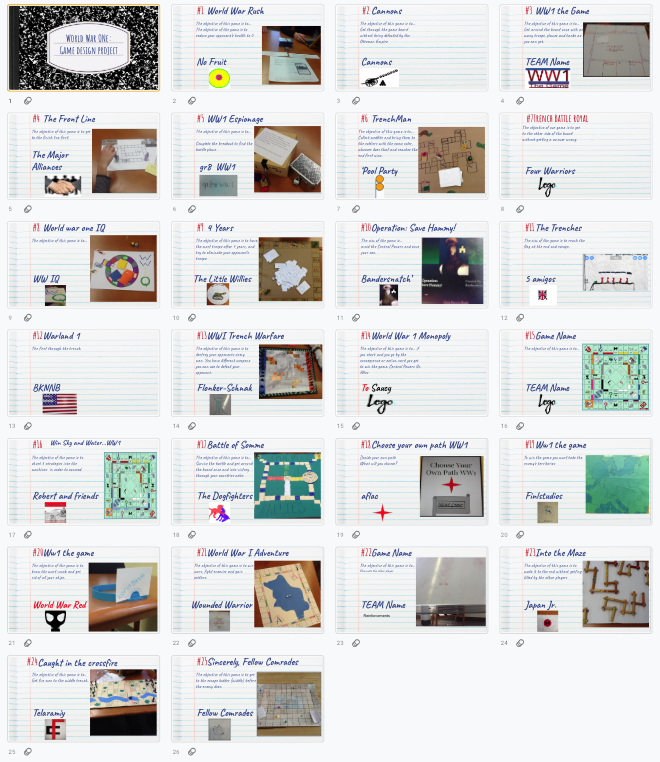
    Click here to view student game objectives and snapshots.

    Also, check out these Choose Your Own Adventure Games created by students in this project. These slides are intentionally formatted for portrait mode viewing on a phone or tablet… to function as a web app.

    1. Operation Save Hammy: https://docs.google.com/presentation/d/1wosaB8ox0niNwdbOc3jcyoj60bmEUu94CBiiaRACf4w/preview?slide=id.p
    2. Choose Your Path WW1 https://docs.google.com/presentation/d/1IyKZRh2Tfs0ZSXS5E4NbyO7uJXRwViqVvoEiPGiJmlE/preview?slide=id.p


    Student Game Videos

    https://youtu.be/MXtmkX2oR4M

    Insights and Reflections to inform the next time

    Nearly 200 students were provided with the opportunity to play the games over several days. Students who played the games were asked to provide reviews of the overall game quality, historical quality, and gameplay experience.

    After the reviews were completed, students were lead in a discussion around how to review feedback. For example, some games received over 20 comments and reviews while others only 3. The students receiving 20 comments may not have had all positive reviews, but we discussed how that many reviews meant their game design and appearance were attractive enough for people to try the game out.

    Selected Student comments about the project experience

    How did you decide which people you wanted in your group? Did things work out the way you wanted?

    • For the most part yes, I had my friends in the group and we worked well together, and communicated good. We even talked outside of school about different ideas we all had. But because we were friends sometimes we got off task, but it didn’t take long for us to get back on track to what we were doing.
    • I decided the people who would be in my group by what which person is good at like we had one person good at editing and one good at drawing, and etc. At the end it worked out well even though we had disagreements through out the project week.
    • I worked with my friends but that wasn’t a good idea, we got nothing done. Things did not work out how I wanted.

    What game platforms did your group discuss? How did you decide which one to go with? (game platform means boardgame, cardgame, video game, etc…)

    • We discussed board game and video game, we decided to go with video game because it seemed like a unique idea to do and seemed like it would be more entertaining to people
    • We decided to go with a breakout Edu because they are fun and easy to set up. Not only are they fast to set up they can also be interesting to play. We had to decide what it was going to be and it was that you had to get germanys battle plans.
    • We decided to go with a game board because we thought it would be easier to make cause we based it off monopoly.
    • My group only discussed board games, because we all had ideas for board games. Instead of picking one idea we merged all of our ideas.

    How did prototyping help you design your game? (prototyping is when you had other groups try out your game)

    • This helped us because we needed an outline and a sense of direction in order to make the final product.
    • It helped us with our game by getting feedback from other people and then we could make our game better.
    • By prototyping we were able to see the flaws in the game and change them so they were better.
    • Protoyping helped us design the game by getting back their feedback and fixing the areas that needed improvement.
    • Prototyping helped are game because they told us what they did not understand in are rules so then we had to fix them for they can understand better and enjoy playing.
    • Because it showed us what we needed to improve on

    How did you use Jon Spike’s Game Storm EDU website? (https://sites.google.com/view/gamestormedu)

    • It helped by showing the process that we could use to make our game.
    • We looked through the game types and we chose from there. It was a clear understanding of each game.
    • I used this website to see what important things were needed to include in my game.
    • We used Jon Spike’s game storm EDU by looking at what kind of board games we could make and the different types of games you could make so we could figure out what we wanted to do.
    • We used it to get ideas for the cards, design of the board and objective of the game.

    What did you learn from the most difficult part of the project?

    • I learned that some ideas just cannot be accomplished and the final product will not turn out perfectly.
    • The directions and setting it up so other people who have never played it before could play it easily.
    • I learned that you have to have patience when working in a group. Sometimes it may be chaotic and they may be unprofessional, but to make things work, patience is key.
    • You have to make sure your rules make perfect sense to other people so they play the game correctly.
    • I learned that coming up with a story and brainstorming is a difficult task. I learned to bounce ideas off of other people even if you think they are bad.
    • I learned from the most difficult part of the project that we can’t rely on people to get the job done on their own, we have to check in with them to make sure their job is done.

    Project Insights

    Putting the cart before the horse… many students have trouble approaching the project with an open mind regarding platform. They decided very early whether or not they want a board game or a video game. I do not think this is necessarily a bad thing, but it would be good for students to think about what would tell the story best rather than how to tell the story in a particular medium.

    Remixing a Game: Team Icebreaker (1)

    Goals

    • understanding how changing game rules change the system of a game

    • introduction to the iterative process

    • icebreaker game design exercise

    Before the exercise

    Through class discussion, make a general list of the rules of Tic-Tac-Toe. For example:

    1. play takes places on a 3×3 grid

    2. two players alternate turns to place an X or an O in an empty square

    3. three of the same symbols in a row wins

    4. if no one can play, the game ends in a draw

    Then discuss why Tic-Tac-Toe always ends in a draw for most players. Have the class brainstorm what they might modify in order to change the game: the grid size and shape, the number of players, the winning conditions, the things you can do on a turn, etc.

    Modify!

    Pairs of students try to redesign the game in order to increase the space of possibility of the game – to make it more interesting to play than the “solved problem” of classic Tic-Tac-Toe.

    As they design, have them change as little as possible – one, two, or three rules at the most. They should follow the iterative process of making small changes, playing their modified version, analyzing how they affected the game, and then redesigning again.

    Finally, groups can share their modifications with the class, and what did and didn’t work. If there are too many groups for everyone to share, then pairs of groups can play each others’ games and discuss.

    At this point, I’ve seen my students create hundreds of variations of Tic-Tac-Toe. My favorite was an exceptionally elegant variation where nothing was changed – except the winning condition. If you got 3-in-a-row, you lost. Playing this version of Tic-Tac-Toe means trying to force your opponent to make what we normally consider a “winning move.” As a minimal rule-change that turns the “solved” game of Tic-Tac-Toe into a brain-twisting puzzle, I loved that modification.

    Jon Spike recommends doing this same style activity but by remixing chess. Even if people do not know how to play chess, there could be some really imaginative remixes.

    Writing Directions

    A great deal of the feedback for students was about how the directions they provided were unclear.

    Jon Spike says “Start with the objective. How do I win? It doesn’t matter what I can do on my turn or the abilities I have if I have no idea what I’m trying to do… Have them read board/card game manuals and discuss what they notice.”

    I highly recommend running students through some directions writing exercises like:

    How to make a peanut butter and jelly sandwich

    1. Have students write out Text only directions for making a sandwich.
    2. Compare and contrast the steps other people listed
    3. ASK: What are we assuming about the sandwich maker? Perhaps that they have made one before? This is not always a safe assumption.
    4. Next: Have students draw Images only directions for the same process.
    5. Again they should compare with others and discuss assumptions

    We hope these two activities will help our students write clearer directions to maximize user engagement.

    Resources Cited

    1. “Gamasutra: Eric Zimmerman’s Blog – How I Teach Game Design ….” https://www.gamasutra.com/blogs/EricZimmerman/20131019/202710/How_I_Teach_Game_Design_Lesson_1_The_Game_Design_Process.php. Accessed 19 Dec. 2018.
  • Applied Digital Skills – Guide to an Area: World War 1 Lesson Notes #AppliedDigitalSkills #growwithgoogle @GoogleForEdu

    I love maps. There are tons of great mapping resources out there: Google Earth, Maps, and Streetview to name a few. Google MyMaps is another one that allows us to annotate pretty significantly. 

    Screen-Shot-2018-12-20-at-9.59.22-AM.pngWhen I first rolled out MyMaps to my middle school social studies classes, one student went home and immediately traced out the 50 states!

    Wow, I wish I had that kind of time and energy!

    MyMaps has been well received as a useful tool in my social studies classroom for increasing our understanding of geographic factors on historical events. As you have probably gathered, I could go on and on about MyMaps… but this post focuses on using these awesome Geo tools in a little different way supported by Google’s Applied Digital Skills program.


    This school year I have been using Google’s Applied Digital Skills program to teach my Social Studies students. I began with the If-Then Adventure Story Lesson and remixed it with a geeky-process of creating our own app about the Ellis Island Immigration Process. Next, I taught students about researching with trusted content by using the Research and Develop a Topic Lesson.


    When my classes studied World War 1, I used the Guide to an Area Lesson to pre-teach the content. Rather than guide a random area of interest, this lesson was remixed to support research and a geographic understanding of Places and Events that were significant to our study of World War 1. We used Lesson 1 and Lesson 4 to gather data in a spreadsheet (Lesson 1) and import the data into a Google MyMap (Lesson 4). Lesson 2 and 3 are great but time was an issue and I needed to modify the accordingly.


    Here are the particular steps I gave my students to adopt the Applied Digital Skills Lesson as a relevant resource in my classroom.

    To begin have students…

    1. Go to the Applied Digital Skills website.
    2. Log in
    3. Select “I am a Student”
    4. Enter this course code: __________
    5. Begin the “Guide to an Area Lesson”

    Lesson 1

    Students completed Videos 1 and 2 and when they got to video 3 they modified their spreadsheet using my notes.

    Video 3 NOTES

    1. TITLE your Spreadsheet: “Guide to an Area: World War 1 Places and Events”
    2. Column Headings: Location/Event Name, Address, Description, Category, Date, Source 1, Source 2, Google Maps URL
    3. YOU NEED  to identify information for the locations/events provided in class, with a MINIMUM OF ONE EVENT PER YEAR FROM 1914-1919. Use your Prentice Hall: America History of Our Nation (textbook) pages 706-711, the map on page 719, and page 724. For example, page 707 starts with the “Assassination of Archduke Franz Ferdinand.”
    4. Continue to find detail about each location through a Google Search. Keep track of your sources in the Sources columns. Every event must have two sources.
    5. Continue to Lesson 4 in Applied Digital Skills.

    Completed steps for Video 3 look something like this:

    Screen Shot 2018-12-20 at 10.13.15 AM
    I had to have conversations with my students about spreadsheet cells and how text is “hidden” when not wrapped. Students then followed the steps in Lesson 4 about how to “Make a Custom Map” which explained the process of importing the spreadsheet into Google MyMaps.

    Screen Shot 2018-12-20 at 10.35.12 AM


  • Applied Digital Skills – Research and Develop a Topic: Historical Figures Lesson Notes #AppliedDigitalSkills #growwithgoogle @GoogleForEdu

    I have been working with my Social Studies students to create critically sourced and clearly written work related to our course content. Research has always been near and dear to my heart, but I recognize the same enthusiasm does not always exist for my students… it turns out they have minds of their own. In an effort to best meet my students’ needs at their own pace, this school year I have been using Google’s Applied Digital Skills program. The Applied Digital Skills program allows me to serve as a guide on the side (rather than the sage on the stage) to provide on-demand, in the moment help when my student need it… I have been using a genius bar system to provide this help.


    One lesson I have used is the Research and Develop a Topic Lesson with some course requirement modifications and additions.  In fact, for my classes, I only used Lesson 1 and 2 with modifications (below) for Lesson 2 and additional requirements for source citations. Lesson 1 included a fun activity for students to understand (through creation) credible sources. Lesson 3, which I did not use, is an excellent extension activity for students who moved through the directions at a faster rate.

    Lesson 2 Modifications and Additions

    Notes for Video 4: Write a Paragraph About Your Topic


    CREATE A GOOGLE SLIDE DECK with ONE SLIDE PER HISTORICAL FIGURE (rather than the Google Doc the video asks you to create) to complete your research on the following four historical figures:

    1. John D. Rockefeller – Standard Oil
    2. Andrew Carnegie – Steel
    3. Henry Ford – Automobiles
    4. Cornelius Vanderbilt – Railroads

    Include sources as the video instructs but also add one image of the historical figure as well.


    The project must only include 4 slides, one per figure. All content must fit on the slide. Each slide is required to have:

    1. Title (name in any font and color)
    2. Photo or Painting (face)
    3. 5-8 sentence paragraph that has been edited at hemingwayapp.com*
    4. 3 Sources cited using Apogee 2**
    5. Paragraph and Sources are in Size 11 font ARIAL in Black. On a WHITE BACKGROUND slide.


    A few notes about my additions:

    *HemingwayApp


    First, I have found the Google Slides format to be super clean for inserting images and it looks good in the Google Classroom Grading screen. Next, the website http://hemingwayapp.com takes you to the Hemingway App (a website not necessarily a downloadable). The Hemingway App is a personal favorite of mine as it allows you to gamify editing. Editing your own work can be rather difficult since when we read our own work we often autocorrect in our brain adding punctuation and words were needed. This website will help us to take steps toward writing more clear messages. This screenshot shows the main page:

    Screen Shot 2018-12-18 at 12.53.38 PM

    Students will cut and paste their text into the Hemingway App where the Readability will be assessed (1). I encourage my middle school students to aim for a Grade 6 – 9 readability level (2).

    This can be a bit frustrating when students see they are writing at a post-graduate level according to the Hemingway App, but the reality is they have often copy-pasted too much of someone else’s work or that the student’s writing is just not clear. I want to help my students write clear messages in their own words, the readability tool can help with that. Further, in the Hemingway App adverbs, passive voice, and difficult to read sentences are highlighted. I tell my students it’s like playing a game, their job is to make all the colors/errors go away.


    **Apogee 2 Citation Creator

    The fast citation tool available through Google Docs “Explore Button” is great for quickly citing work, but it does not always provide the more rigorous citation that I require of my students. Apogee 2 Citation Creator (3) is an excellent tool to bridge this gap. This free extension will allow students to quickly generate a citation for any page they visit. The citations will provide a “credibility score” out of 10. This score is based on the amount of information in the citation. No Author (n.a.) and/or No Date (n.d.) of publication will reduce this score… students can, of course, enter this manually.

    Screen Shot 2018-12-18 at 12.53.15 PM

    Sources

    1. “Hemingway Help – Hemingway Editor.” http://www.hemingwayapp.com/help.html. Accessed 14 Dec. 2018.
    2. “This Surprising Reading Level Analysis Will Change the Way You ….” https://contently.com/2015/01/28/this-surprising-reading-level-analysis-will-change-the-way-you-write/. Accessed 14 Dec. 2018.
    3. “Apogee2 | Citation Creator – Google Chrome.” 16 Jul. 2018, https://chrome.google.com/webstore/detail/apogee2-citation-creator/gbbpnkefafembhibompejknmjndilgaj. Accessed 18 Dec. 2018.


  • Understanding School Culture

    Understanding School Culture

    “The productivity of a work group seems to depend on how the group members see their own goals in relation to the goals of the organization.”

    – Ken Blanchard


    Schools are a funny thing. No really. Have you ever stood in front of a class of students and thought, “I am glad they do not realize that there are way more of them than me” or “Oh no, I’ve lost control, what do I do now?” I have found it is best to keep these as inside-thoughts. Where else do you have a small authoritarian rulership (administrators and teachers) oversee a body of free people (students) with little to no voice in decisions, who vastly outnumbered their oppressive rulers, yet we find relatively few uprisings? Sounds like the making of a dystopian young adult novel… super meta.


    In education, we plan very hard to organize and arrange our careers, content, and clientele into a predictable structure of choices and consequences. Our preloaded, university-education-based decisions are not always very realistic. Our best-laid plans do not always work out. The Teacher Experience (TX) we gain on our journey prepare us more than almost anything else. A map of our journey that clearly lays out all possible outcomes for classrooms and schools, frankly, does not exist. The teacher journey better reflects a “Choose Your Own Adventure Story” where we keep trying for the best outcome.


    We have learned to organize our schools and our school days to maximize learning potential in the most effective and efficient ways possible… or at least that’s what we tell ourselves. The way we think about schools in terms of a hierarchy can, of course, support certain levels of efficiency, but it is important that we do not allow this structure to define us and box us in declaring “That’s the way we’ve always done it.” Our most basic school organizational structures we have reporting lines that operate with certain levels of interaction between school administrators, teachers, students, parents, and our communities.

    Screen Shot 2018-04-12 at 4.02.13 PM

    (1)

    These interactions, particularly the lateral ones do little to support or encourage interdisciplinary instruction and therefore support one of the greatest detriment of modern education, silos. Silos, or cross-content barriers, illustrate industrial revolution thinking around preparing an individual for a certain task in a certain place. Think of a traditional assembly line where a worker adds one single widget to one machine, they do this as they have been trained to with no real comprehension of all of the moving parts. This training and preparation for tasks can be seen in the lack of interdisciplinary instruction we often see.


    Conway’s Law

    According to Conway’s Law, the lines by which we explain our interactions with each other can tell us about ourselves (2). An organizational system built on sharing and collaboration will look very different than that of which fosters a competitive atmosphere. Take for example this satirical look at Amazon, Microsoft, Facebook, and Google.

    conwayslaw.png

    (3)

    Would a review of our school hierarchical structures match conversations with teachers and administrators over the same communication structure? Would we be Google or Apple… or Microsoft? Would we see instructional silos which limit our collaboration? Would an exploration of our school building schedules reveal an even worse case of ubiquitous isolation? If so, we have just identified a barrier in growing a culture of innovativeness, we have to spend time with each other to develop and establish our shared cultural norms, our shared beliefs about school.

    The Activity System

    In education, we develop school-wide vision statements that explain our educational focus and mission statements (which explain how we are going to get there). The process of developing these should take into account all the activity that goes on in our schools and communities. While accurately reflecting who we are. The word “activity” represents a cultural phenomenon (4) which is unique to each school context. We cannot automatically generalize our context-specific activities to other settings when we discuss school culture we want to be as specific as possible about what “school” we are talking about. Analysis of a school building will yield a more intimate result than of a school district. Therefore, we must first decide on the school to be explored.


    With our specific school in mind, we need to understand how all the actual moving parts are connected we call this an Activity System. Our understanding of the Activity System can go a long way in increasing our understanding of how our school cultures work and more importantly how to help us toward innovativeness. The Activity System illustrates how we engage in achieving organizational goals (school vision). The system points out that we must seek to describe the subject(s), object, outcome, tools, community, rules, and division of labor and how they are interconnected, in order to understand the full picture of our school culture at work. This provides us with a critical lens, a context-template, to investigate the unique activity of innovation adoption within our school culture. In short, we can better understand our rich journey by exploring it with this magnifying glass called the Activity System (5).

    Activity system

    (1)

    The many moving parts each dynamically contributing to the school vision (GOAL) we hope to achieve. In the case of this book, the quest for innovativeness, let us frame the “vision” as a school culture that embraces innovativeness. To making full use (and sense) of the Activity System we must then describe the various components involved (see School Culture Analysis Chart).


    Here’s how to think about all the components:

    • Goals – are the vision statement which explains your school’s focus to embrace innovativeness.
    • Community – comprises people that share in the same general mission. They consist of people that share a set of social meanings relevant to their context.
    • Object – for our quest for innovativeness discussion, is TPACK, a mission for a school to embrace innovativeness. TPACK illustrates that the teacher experience (TX) is dynamically formed and reformed by the interconnectedness of content, pedagogy, and technology.
    • Rules – refer to the regulations, norms, and conventions that constrain actions and interactions within the activity system. Economically speaking, these are the financial opportunities and limitations that inform a school’s activity process.
    • Division of labor – refers to the work requirements to be fulfilled by the subjects. The functionality of a school’s hierarchical structure is a school’s own cultural phenomenon.
    • Tools – can be methods employed and/or the devices (technology) used by the subjects toward fulfilling their work requirements. We not only use tools, we also continuously renew and develop them, whether consciously or not, further we not only obey the rules, we also mold and reformulate them while we work. The tools are as dynamic a part as any to the Activity System.
    • Subject – describe Faculty and Staff as Adopters (Innovators, Early Adopters, Early Majority, Late Majority, Laggards), literally we need to list who fits within these categories when framing our understanding around innovation.

    Thinking through the components of the Activity System (1,5) (before moving forward) can help us to frame powerful insights into our school culture. Recreate and complete the School Culture Analysis Chart before moving on:


    School Culture Analysis Chart


    Goal Vision – What will be produced? Innovativeness
    Community How would you describe your school community? Locally? Regionally?
    How are they connected?
    Building(s) –

    District –

    Region –
    Organizational Hierarchy –

    Object What types of interventions might work to help create a culture of innovation? TPACK
    Rules Content area requirements?
    Diploma fulfillment requirements?
    Financial opportunities and barriers to adopting emerging technology?
    Technology deployment strategy?
    Division of Labor How does your school’s organizational hierarchy look?

    (Who are people accountable to?)

    Tools What technology-based solutions are available? (hardware and software)
    What learning environments are available?
    Devices (hardware)
    Apps/Extensions (software)
    Open Rooms/Flexible Spaces
    Subjects Who are the people in your school? Innovators –

    Early Adopters –

    Early Majority –

    Late Majority –

    Laggards –


    Once you identify the different components of your school culture, it is time to dive into what is going on. Perhaps the most important piece to this cultural analysis puzzle is how each part interacts. The arrowed-lines that connect each of the components are meant to force us to investigate more than just who or what is in place. Looking at the lines, ask yourself the following (4,6):


    • Does the Community actually inform Tool adoption and expectations?
    • Do Subjects have the ability to take risks and try new things or are they confined to their job as described in the Division of Labor? What are the approval channels for Faculty and Staff to innovate?
    • Can Subjects inform the adoption of specific Tools? How?
    • Do the Rules and Community allow/want Subjects to adopt emergent technology?
    • Do the actual activities of Adopters match up with the Division of Labor? Are their reporting gaps?
    • Tools change over time… What funding is in place to support this? What funding can be pursued?
    • Who has a voice in the decision-making process?
      • Parents?
      • Teachers?
      • Students?
      • Administrators?
      • School Board?
      • The Workforce?
    • Whose voice is not heard?


    Contradictions

    We then can summarize our school culture in terms of how are we achieving TPACK as individuals and as a school culture. We must also discuss the contradictions between how we defined the components and how they actually work. Do not regret having contradictions, they are very important to the innovation adoption process. Contradictions are the moving force, the disruption necessary, for the change and development of the system (1). As the contradictions come to the surface, we can expect, some of our Adopters to begin to question and deviate from our established norms5 which is just the change we often need. Contradictions can escalate into collaboration and a deliberate collective change effort (5).

    The Activity System illustrates how the multiple variables in our schools are involved in the success or failures of our Vision. The Activity System provides a critical lens to investigate the activity of innovation adoption within an organization. The Activity Aystem reports on our living/breathing school culture as best it can, as a snapshot in time. School is not stagnant, not totally predictable. Reiteration, Reformation, and Redefining are tenants to design and development of school cultures embracing innovativeness (4). As educators if everything went as planned, every time, we would likely question what we did wrong or what we missed. But the discussion around the activity at our school centers on an in-the-moment analysis. A more clear understanding of where we have been and where we are going can be found by exploring the process on which we embark on this epic disruptive saga.

    Image Credit: Chris Stein, a superstar Teacher, and illustrator Extraordinaire!

     Source Notes (in order of use)

    1. Engeström, Y. (1996). Developmental studies of work as a testbench of activity theory: The case of primary care medical practice. In S. Chaiklin & S. Lave (Eds.), Understanding practice: Perspectives on activity and context (First., pp. 64–103). New York, NY: Cambridge University Press.
    2. Amrit, Chintan, Jos Hillegersberg, and Kuldeep Kumar. “A social network perspective of Conway’s law.” Proceedings of the CSCW Workshop on Social Networks, Chicago, IL, USA. 2004. https://www.utwente.nl/en/bms/iebis/staff/amrit/SocialNetworksConwaysLaw_latest.pdf
    3. Cornet, M. (A reimagined illustration based on the work of Manu Cornet). Featured in the New York Times, Business Day section July 12, 2013. 
    4. Jonassen, D. H., & Rohrer-Murphy, L. (1999). Activity Theory as a Framework for Designing Constructivist Learning Environments. Education Technology Research and Development, 47(I), 61–79.
    5. Engeström, Y. (2001). Expansive Learning at Work: Toward an activity theoretical reconceptualization. Journal of Education and Work, 14(1), 133–156. doi:10.1080/13639080020028747.
    6. Engeström, Y. (1987). Learning by Expanding: An activity-theoretical approach to developmental research. Helsinki: Orienta-Konsultit. Retrieved from http://lchc.ucsd.edu/mca/Paper/Engestrom/Learning-by-Expanding.pdf
  • How to stop Google Slides from auto-advancing when you click on them

    Google Slides is one of my favorite G Suite programs since it is so versatile. I have shared many times that my favorite hack or use of Slides is to build your own app with it (see “Create your own “My School App” in Google Slides for mobile devices”). When using this app process with my students on a recent project (Gaming, VR Exploring, and App Building: The Ellis Island Hack-A-Thon) I found that, while in presentation mode, some students would click on the empty space in the slide and auto advance to the next slide which completely circumvented their app design.

    My strategy to stop Google Slides from auto-advancing is to insert a shape that covers the whole slide and link it to the existing slide. Additionally, text boxes that are not buttons must also be linked to the existing slide. This video explains the whole process:


  • Gaming, VR Exploring, and App Building: The Ellis Island Hack-A-Thon

    Blog image for Gaming, VR exploring, and App Building The Ellis Island Hack-a-Thon

    bit.ly/EllisIslandMicah


    As educators, we are constantly seeking to engage our students in the most meaningful ways. Not engage, like simply hooking them in with entertaining or trending toys, rather we work to engage our students in meaningful learning. Parallel with the constantly evolving world of emergent technology the most meaningful, and most engaging strategies are dynamically changing. We must remember no matter how new and exciting emergent technology is, the true educational potential is only achieved through thoughtful experience design and meaningful conversation.

    Introduction

    In my social studies classes we are learning about historical content in the United States from post-Civil War to the Present. The content outline for my course identifies key themes (1) to address throughout the year. This post is about our study of the immigration experience at Ellis Island with the following themes:

    • Students will identify groups of people who moved into urban areas, and examine where they came from and the reasons for their migration into the cities.
    • Students will explore the immigrant experience at Ellis Island.
    • Students will examine the living conditions in urban areas with a focus on increasing population density and the effects that this growth had on the social, cultural, and economic lives of people.
    • Students will examine nativism and anti-immigration policies, including the Chinese Exclusion Act, the Gentlemen’s Agreement, and immigration legislation of the 1920s.


    When learning about Immigration in the United States I wanted my students to have a more empathetic understanding of the immigrants story. Learning about others and understanding the world does not revolve around us individually… is a step towards empathy. And empathy leads to compassion a life-lesson I hope to leave with my students.


    The following work took place during two weeks of class. Specific times are explained by lessons below.

    For these lessons, we focused on United States Immigration at Ellis Island during 1870-1919 (2). We began by focusing on European Immigration since it related to the most immigrants during our time period of study (3).

    Screen Shot 2018-10-10 at 8.44.52 AM.png Screen Shot 2018-10-10 at 8.44.30 AM


    Lesson 1: Game Play

    Class Time: 70-90 minutes (depending on how much time spent reviewing each part)

    Resources:

    1. Mission US “Mission 4: City of Immigrants”
    2. Mission US City of Immigrants Notes


    We began by playing a Mission-US game titled Mission 4: City of Immigrants (4).

    Screen Shot 2018-10-10 at 8.46.25 AM.png

    Students playing the game assume the role of Lena Brodsky, a fourteen-year-old Jewish immigrant from Minsk, Russia who arrives in the United States in 1907. As the game begins, Lena is in the midst of a life-changing transatlantic journey on a ship bound for New York City. She joins her brother and his wife in their tenement apartment on the Lower East Side, and finds work in the burgeoning garment industry. Lena’s meager wages makes an essential contribution to her family’s economy. Life in the garment industry is difficult and dull, and Lena seeks out other opportunities and adventures. Players can improve Lena’s prospects by attending classes at the local settlement house, or finding fun and possible romance. Eventually, Lena finds work at the Triangle Shirtwaist factory, where her earnings increase. However, working conditions remain dismal, and some of the young women begin organizing. When a general strike breaks out, Lena must decide whether or not to join the picket lines with her fellow workers. The strike represents one of the many turning points that shape Lena’s life and reveal, in turn, how the story of America was shaped by immigrants.(5)


    As with all gaming in my classes, students were asked to identify, fact, fiction and the methods used by the game designers to demonstrate key facts. We kept notes on our Mission US City of Immigrants Notes (Google Slides). Following the game and discussion, we investigated more about Ellis Island.


    Lesson 2: Ellis Island Virtual Tours

    Class Time: 80 minutes (40 for each activity)

    Resources:

    1. Scholastic: Interactive Tour of Ellis Island
    2. Google Expeditions App with Immigration and Cities (Houghton Mifflin Harcourt)


    Activity 1: Scholastic offers an excellent Tour of Ellis Island(6), my students worked through each stop learning about the immigrant experience at Ellis Island and the role of Immigration Inspectors.

    Activity 2: To further discussion on the immigrant experience at Ellis Island, we took a virtual field trip with Google Expeditions(7): Immigration and Cities (Houghton Mifflin Harcourt). This particular field trip starts at the Statue of Liberty, provides a tour of the Ellis Island Facility and a Tour of a tenement home. The home used was also a model for the Mission US game: City of Immigrant. See the two animated gifs below to identify similarities.

    Mission US Immigrants gif (2)

    Mission US: City Of Immigrants

    Google Expeditions: Immigration and Cities

    The similarity between have and real life provides credibility to the time spent in the game.


    Lesson 3: Immigration Inspector Interview Flowchart

    Class Time: 40 – 50 minutes

    Resource:

    1. Ellis Island Hack-A-Thon Slide Deck
    2. Immigration Inspector Interview Process – Lucid Chart (example)


    Up to this point, students were working individually on understanding the immigrant experience. To dive deeper into the immigrant experience (our “hack”) students were asked to think about the Immigration Inspectors job, especially in 1907 when things were very busy. The following static was shared to illustrate the point:

    In 1907, more than a million arrived.  

    The highest number for a single day was 11,747 people.


    The plan was for students to explore how Inspectors would decide if immigrants would be allowed into America and therefore understand the immigrant experience in greater detail. Further, students were asked to think about how to speed up this process of allowing, or deporting, immigrants into America. An app was posed as a solution that could make the process more effective and efficient. To design an app, students needed to outline the Immigration Inspectors Interview workflow (process).


    Students were placed into random groups and directed to use a shared Lucid Chart(8) document to generate choices and responses based on what they learned in the student handwritten flowchartbeginning of the Mission US game and the Scholastic website. The free Lucid Charts website allowed students to create clean and somewhat clear flowcharts that demonstrate the work an Immigration Inspector would do each day. Lucid Charts has animated Gif-tutorials that are very helpful for students to understand the product. While not perfect, the flowcharts started to show a more in-depth understanding of the immigrant experience in 1907. The collaborative nature of Lucid Charts allowed the

    Students on Lucid Chart entire group to be invested in the process, as opposed to a piece of paper where only one person recorded responses. To support students, I shared the Ellis Island Hack-a-Thon

    slide deck which includes more details about Immigration Inspectors’ decisions and interview questions.

    Some students required more modeling of what the chart should look like so I worked on one live while they worked in their groups.

    Immigration Inspector Interview Process (1)

    Periodically, I would stop the class and ask the groups to consider Lena’s story (from Mission US). Lena was a 14-year-old, unmarried, young woman… so how could she be allowed in under the system in 1907? (She was “sponsored” by her brother). We needed to make sure our app reflected Lena’s experience as well. Now to take this workflow and design an app.


    Lesson 4: Designing an App for Immigration Inspectors

    Class Time: 70-90 minutes

    Resources:

    1. Welcome to the Immigration Inspector App – DEMO
    2. Google’s Applied Digital Skills – If/Then Adventure Stories Lesson
    3. Blog about Building Apps from Google Slides


    I explained to students that our last step was to build an app, a web-app to be precise. The way to build one begins by understanding how to connect individual slides in a Google Slides deck. Google’s Applied Digital Skills program offers excellent tutorials on this process and many more. I shared with students the link the Applied Digital Skills: If/Then Adventure Stories- Lesson 3: Create an If/Then Adventure(9) which includes 4 short videos:


    Lesson 3: Create an If/Then Adventure

    1. Introduction to If/Then Adventure Stories (2:10 min)
    2. Set Up Your First Slides (2:06 min)
    3. Create Choices and Links (4:12 min)
    4. Connect and Create (3:51 min)

    These are videos allow students to go back and replay steps as needed. Once the student have completed the video tutorials they must learn the following web-app steps:


    Step 1: Go to Google Slides and start a new presentation.

    Step 2: Click File – Page Setup…

    Step 3: Select Custom – 8 x 11.5 inches (click OK)

    Step 4: SLIDE ONE – Add an introduction/title and a “Click to Enter” shape.

    Step 5: SLIDE TWO – Use the title bar to name the slide.

    Step 6: Continue to add slides to go through the Immigration Inspector’s Interview Process.

    Step 7: As illustrated in the videos, add a hyperlink to slides within the slide deck to connect them to the correct slide.

    Students were encouraged to follow simple design rules including color and font consistency throughout the app development.

    slides app demo

    Lesson 5: UX Testing & Case Studies

    Class Time: 70-90 minutes

    Resources:

    1. Slide Deck for Explaining App Process
    2. Case Studies from “A Simulation: The Peopling of America” (pages 16-21)


    Now that students have built an app it’s time to go live! In this final lesson we will publish our apps and test them with immigrant case studies.


    Steps to publish:

    Step 1: Once complete click “SHARE” and make the link public (or limit within your school domain).

    Screen Shot 2018-10-10 at 9.00.02 AM

    Step 2: Hack the shared page’s URL by selecting everything in the URL from the word “edit” and right

    Screen Shot 2018-10-10 at 9.00.07 AM

    Delete the selection and add the word “preview”

    This will force a full-screen preview of the shared slide deck and create a more app-like experience for the user.


    Step 3: Copy the new “preview” URL and paste it into your favorite QR code generator. Students should keep the QR code open on their Chromebooks and check to make sure it opens with phones and/or tablets.


    Step 4: Users scan the URL codes to test apps.

    NOTE: To make a button on the home screen of a phone or tablet:

    Distribute the URL to users and instruct them to add a “Home Screen” button.

    • iOS – Safari: enter address & select the share box & “Add to Home Screen”
    • Android – Chrome: enter address & click three dots and select “Add to Home Screen”


    Case Studies:

    IMG_20181009_135620.jpg

    Case studies were created from “A Simulation: The Peopling of America”(10) and used to test out the apps to see if they allowed the Immigration Inspectors to work through their interviews more effectively and efficiently. Each student was given a card representing the background on one immigrant. These immigrants were used to test the apps of other groups.


    Follow up conversation points:


    User Experience (UX)

    1. What made a good app? (effective interview process)
      1. Did the process flow make sense?
      2. Was the result correct? Should your immigrant have been deported or allowed entry?
    2. How were the look and feel of the app helpful?
      1. Were the app colors consistent?
      2. Did the buttons function correctly?


    Content

    1. The immigrant experience was not as cut-and-dry, not as simple as the interview process made it seem.
    2. Immigration Inspectors would have to make judgment calls about what to do with immigrants. Were they always right?

    @GoogleforEdu #AppliedDigitalSkills #GrowWithGoogle @lucidchart #GoogleExpeditions #missionUS #gamingintheclassroom

    References

    1. “8.2 – A Changing Society | GVLIBRARIES.ORG.” http://www.gvlibraries.org/common/core/9093. Accessed 3 Oct. 2018.


    1. “Who Lives in America: Teaching ….” http://teacher.scholastic.com/activities/immigration/immigration_data/. Accessed 3 Oct. 2018.


    1. “Total Immigrants from each Region and Country, by … – Scholastic.” http://teacher.scholastic.com/activities/immigration/pdfs/by_region/region_table.pdf. Accessed 3 Oct. 2018.


    1. “Mission US 4: City of Immigrants | EDSITEment.” https://edsitement.neh.gov/websites/mission-us-4-city-immigrants. Accessed 3 Oct. 2018.


    1. “Mission 4: “City of Immigrants” (http://www.mission-us.org/).” http://www.changegamer.ca/uploads/5/8/5/6/5856939/missionus-city-of-immigrants-activity.pdf. Accessed 3 Oct. 2018.


    1.  “Ellis Island Interactive Tour With Facts ….” http://teacher.scholastic.com/activities/immigration/tour/. Accessed 3 Oct. 2018.


    1.  “Google Expeditions.” https://edu.google.com/expeditions/. Accessed 3 Oct. 2018.


    1. “Sign up for free – Lucidchart.” https://www.lucidchart.com/users/register/free. Accessed 4 Oct. 2018.


    1. “Introduction to If/Then Adventure Stories – Applied Digital Skills.” 18 Oct. 2017, https://applieddigitalskills.withgoogle.com/c/middle-and-high-school/en/if-then-adventure-stories/create-an-ifthen-adventure/introduction-to-ifthen-adventure-stories.html. Accessed 4 Oct. 2018.


    1.  “874-simulation book – AmericansAll.” https://americansall.org/sites/default/files/874-Simulation%20T_C%20MedLoRes.pdf. Accessed 4 Oct. 2018.
  • Helping Others Along – Motivation Theory and the SAMR Model

    “We awaken in others the same attitude of mind

    we hold toward them.”

    Elbert Hubbard


    As a second year teacher, I remember being very excited about leading my students to participate in a project-based learning activity. With great enthusiasm, I ran down the hall to see a teacher, much my senior, that I greatly respected and I wanted to share with him how excited I was. I was a bit taken aback and confused how negatively it was received. I soon realized that sometimes the things that we do with our students when they are a little out of the box can be perceived negatively by our colleagues. I realized that while enthusiasm can be infectious it is not by default, attractive to others.


    As innovators and early adopters of emerging technology we often find ourselves in the situation to help our colleagues. How do we best help them to understand the value of new technology and how it might benefit their students lives (rather than how might it help my fit into their classroom). How do we ask colleagues to adopt technology and help them to adapt the technology without putting our hands on their keyboard or their mouse and doing it for them. It’s important to adopt the sage wisdom of the old proverb: “If you fish for a man he will eat for a day, but if you teach a man to fish he’ll eat for the rest of his life.” This mantra in education particularly in adopting emerging technology is incredibly important. It is important that we help our colleagues to understand the value of the technology and how the technology can be used. This is best achieved through vicarious experience, guide-on-the-side coaching, and the right frame of thinking. We cannot approach supporting our colleagues with a mindset that says “Ugh. They are doing it wrong!” perhaps followed by “AGAIN!” We must do our best to understand the context in which our colleagues operate, what motivates them to teach, and how we might serve them best.


    While we may be leading the adoption of innovation, we must take on the role of a guide, explaining to our colleagues where we are going, why we are going there, and what we hope to see when we arrive. It is easy for us to think “Save time, see things my way!” But this will not foster an innovative school culture. At times an innovator will have difficulty persuading those they know, after all an innovator is not without honor except within his home.


    Innovation is an amplifier, it will amplify the good and bad of our teaching practice. Subconsciously, most of us recognize this amplification, which contributes to our fear over technology adoption. As champions we must learn to put ourselves in the shoes of a late adopter or laggard, then try to help them along. Empathetic understanding and leveraging real, meaningful relationships can not only promote adoption of innovation but can inspire for positive change.


    The constant for all teachers is students and their learning needs. All teachers hope that they can make a difference is what can contribute to their decision to continue teaching.1 One researcher quoted a beginning teacher, as saying, “I’ll need a sense of success, not unqualified constant success, because I know that’s completely unrealistic. But, overall, you know, on average, that I’m making a difference for kids and that they’re learning from me.”1  The teacher’s desire to feel successful with his students was echoed by many of the teachers who chose to stay in the profession with their school community.1  A very healthy faculty room conversation would be about why we became teachers to begin with. I regularly encourage anyone in education to think about this as a reminder of who they are and how that informs the expectations they hold on themselves to prepare students for a different future.

    ARCS Model

    There are certain key stages which are important to helping others to adopt emergent technology and innovativeness in general. These concepts can be conceptualized in the ARCS Model: Attention, Relevance, Confidence, and Satisfaction.2  Think if these as a process, starting with getting their attention and moving toward their satisfaction that they can do it.


    Attention

    When we relate the relevance of using emergent technology in the classroom we must describe how adoption is advantageous. Emergent technology can increase workflow efficiency for both teachers and students. For example, a paperless classroom takes time and energy to begin, but a teacher who makes over 100 copies a day might find themselves saving a significant amount of time if you consider the time it takes to stand by the copier over a year. Time savings and workflow efficiency are super important for educators but they need to see what you mean as well. Seeing others perform new, or threatening, activities without adverse consequences can generate expectations in observers that they too will improve if they intensify and persist in their efforts. Finally, in this first step, take into account your delivery style and method, newbies can easily conjure up fear-provoking thoughts about their ineptitude and can rouse themselves to elevated levels of anxiety that far exceed the fear experienced during the actual threatening situation. Take it easy, go slow.


    Relevance

    The adoption anything new must first be framed by something old, something familiar, and then advantages should be explained. For people to try new things and begin to adopt innovation, they general frame their understanding around how it relates to their previous practice and that they feel a need/problem. For example, VCRs allowed us to record, play, fast-forward and rewind, but the tape was not usable after many showings and sometimes the tape ripped. DVDs allowed us to also record, play, fast-forward and rewind but the digital quality remained constant… unless you scratched your DVDs. YouTube videos can be recorded (added to a playlist), played, fast-forwarded, rewound, they do not lose their quality and we can upload or own. Thus the advantage of using YouTube is framed around our past adoption. When we take the time to persuade our colleagues about adoption we are providing them with context-based application effective action which makes them more likely to mobilize greater effort than those who are not persuaded, but told.


    Confidence

    “The greatest danger for most of us is not that our aim is too high and we miss it, but that it is too low and we reach it.” — Michelangelo


    Emergent technology can be pretty complex, to be told that things are going to change every 6 to 18 months3 can be overwhelming to those who have yet to embrace innovativeness. We need to help people to aim high by creating a safe environment to try new things. When we work with colleagues they must feel comfortable to fail in front of you and learn with you (guide-on-the-side). We know that failure is the greatest teacher, but we are so afraid of it! Through a productive struggle, we can help our colleagues to personal mastery experiences with something new. Leveling the difficulty of the task will allow for early successes which yield increased attempts at more difficult tasks later on and eventually leading to a decision to adopt.


    Satisfaction

    What does it mean to be successful at adoption? What does it mean to do something right or correctly? A teacher’s efficacy belief is a judgment of his or her capabilities to bring about desired outcomes of student engagement and learning.4 Research has shown that a teacher’s efficacy is related to how teachers’ decisions are made, how goals are shaped, how planning and organization are implemented, and how teachers react in the classroom and relate to students.4 In addition, teachers with high self-efficacy embrace new ideas and methods for teaching.4 In developing a favorable or unfavorable attitude toward an innovation, an individual may mentally apply the new idea to his or her present or anticipated future situation before deciding whether or not to try it.5 The strength of people’s convictions in their own effectiveness is likely to affect whether they will even try to cope with given situations.6 Satisfaction resides in the willingness of the teachers being studied to adopt the technology and apply it to their professional settings.


    SAMR Model

    One of the most powerful ways to have a discussion with colleagues regarding technology adoption and pedagogical-shift strategies is the SAMR Model.

    samrmodel.png7


    We start by Substituting our existing strategies for one that are supported by emergent technology, we then Augment the strategy when we find that technology can improve (rather than replace) the strategy, next we use technology to Modify the strategy, and finally we Redefine the entire strategy when we find technology may offer us a better way of doing things. Simply put, the SAMR Model helps each of us to rethink individual lessons, units, and instructional practice. For example, we can take a paper worksheet-packet, make it digital, then use tools to annotate on it, then redesign the activity with a slide deck or video, and finally we create a brand new activity, different from where we started. For the teacher and student workflow SAMR might look like these examples 8:

    SAMR model

    SAMR model student

    Professional Development: Designing, Developing, and Implementing

    Professional Development offerings can be the catalyst of positive change. We have spent a great deal of time in this book discussing adopters and who we are in the story. Understanding ourselves and our colleagues can yield context-based, empathetically considerate, professional development opportunities.


    A combination of the SAMR Model and the ARCS Model are excellent for developing professional development offerings. When planning a training session there are a few things from the ARCS model to consider…

    Outlinechapter4


      1. Attention: arouse interest and curiosity
        1. Described:
          1. Stimulate perceptions (surprise, uncertainty, novelty, juxtapositions).
          2. Engage inquiry (puzzles, questions, problems, dilemmas).
          3. Create variety (different kinds of examples, models, exercises, and presentation modalities).
        2. Examples:
          1. incongruity, conflict
          2. games, roleplay
          3. hands-on/minds-on methods
          4. questions, problems, brainstorming
          5. videos, mini-discussion groups, lectures, visual stimuli, storytelling
        3. Reflection: How does an instructional leader’s enthusiasm change attention?
      2. Relevance: relate to experience and needs
        1. Described:
          1. Allow audience to select or define goals, give examples of goals, discuss value of goals.
          2. Adapt to what the audience wants to cover or how to cover it
          3. Use familiar communication modalities, relate goals to something familiar such as prior knowledge or experiences
        2. Examples:
          1. paraphrase content, use metaphors, give examples
          2. ask audience to give examples from their own experiences
          3. give audience choice in how to organize what they learn, explain how the new learning will use students’ existing skills,
          4. explain or show “What will the subject matter do for me today?…tomorrow?”
        3. Reflection: Reflection: How do teaching models, field trips, portfolios, and student choice change relevance?
      3. Confidence: scaffold success of meaningful tasks
        1. Described:
          1. Set clear goals, standards, requirements, & evaluative criteria.
          2. Give challenging & meaningful opportunities for successful achievement within available time, resources, & effort
          3. Encourage personal control, show or explain how effort determines success (personal responsibility = achievement).
        2. Examples:
          1. allow audience to choose goals
          2. allow small steps for achievement
          3. give feedback & support
          4. provide learners with some degree of control over their learning & assessment
          5. show that success is a direct result of personal effort
          6. give confirmatory-corrective-informative-analytical feedback rather than social praise
        3. Reflection: Reflection: How do clear organization and easy to use materials change expectations for success?
      4. Satisfaction: build a sense of reward and achievement
        1. Described:
          1. Support learning applied in real-world or simulated context with consequences
          2. Provide feedback after practice to confirm, analyze, or correct performance
          3. Apply consistent consequences for meeting standard consistent evaluation criteria
        2. Examples:
          1. avoid over-rewarding easy tasks,
          2. give more informative feedback rather than praise or entertainment value
          3. use practical examples related to audience interests award certificates for mastery of skills
          4. provide testimonials from previous audience about value of the learning
          5. give evaluative feedback using equitable criteria
        3. Reflection: Reflection: Why does social praise not work as well as informative feedback in creating satisfaction? How do rubrics change satisfaction?

    Connections in Championing, Coaching, and Mentoring

    In an effort to understand why teachers continue to teach in a challenging career I once conducted a survey of 75 Middle School teachers asking them to identify why they stayed in their profession.13 I was looking for attributes about success and I had tributes that they identified that set them apart. But what I found was many of them valued relationships with their colleagues more than most other outside factors. These findings are parallel with teachers who were identified in a federal study on teacher mobility as “movers” or “leavers” described teaching in isolation as one factor that contributed to their dissatisfaction. Movers left the schools where they worked in isolation for schools where colleagues interacted and shared ideas for teaching. Those teachers, titled “settled stayers”, described their supportive colleagues as a reason for their decision to stay at their school.1 Studies on the impact of colleague support on the retention of teachers have found those beginning teachers provided a common planning time with colleagues and a scheduled time to interact with colleagues on instructional issues had a 42% less likelihood of leaving as opposed to staying and a 25% less likelihood of moving as opposed to staying.9 Through my experiences working with schools, I found that directors of technology and key decision-makers seeking to roll out emerging technology, find a great deal of success when they have themselves positive relationships with their colleagues and with their employees. Our social-connectiveness is very important.


    But let’s focus on boots and the ground, let’s focus on working side-by-side as a coach, as a guide, as a trainer, and more importantly, as a friend to our colleagues who have a little bit of difficulty adopting new technologies. Professional Development in education has the responsibility of promoting teacher growth in a valid and practical manner. A community of teacher-learners can effectively promote this growth beyond what simple in-servicing (alone) can accomplish. Workshop and other in-service events are magnified by collaborative, shared-experiences. As teaching professionals we need to learn, share, and collaborate with their peers, we need to feel successful and believe in our ability to succeed.


    Our work as champions of innovation must be informed by the best practices examples provided through peer coaching and mentorship programs which can be high effective, when they provide collaborative atmospheres. Like championing a cause, mentoring is a professional role that requires professional renewal, enhanced self-esteem, more reflective practice, and leadership skills. The knowledge and skills that experienced teachers acquire as part of mentor training and practice is continual professional growth.10  When mentoring is viewed as a peer coaching requiring teachers to plan, demonstrate, and practice new instructional practices in a collaborative manner, schools may find less fragmentation, less teacher isolation.11 As we discussed previously, if you are alone in your professional journey, you are doing it wrong. Mentoring programs for teachers should serve to offer deliberate psychological and professional development conditions necessary for the development of teacher knowledge, skills, and dispositions, thus increasing teacher retention through effective, efficient mentoring. Champions, mentors, and peer coaches must develop their understanding of building helping relationships, effective teaching practices, effective coaching practices, and how to work with adults.12


    As we think beyond working with one colleague at a time, we must begin to think about developing our culture. The best practices found in effective professional learning communities (PLCs) can help us significantly. PLCs can be defined at multiple levels (local, state, national, and international) in multiple contexts (team of teachers, building staff, school district of teachers, group of common content teachers, etc…) yet the focus of every PLC must be to explore three major questions: What do we want each student to learn? How will we know when each student has learned it? How will we respond when a student experiences difficulty in learning?14


    There are five major attributes of PLCs15:

    1. Supportive and Shared Learning – the collegial and facilitative participation of the principal, who shares leadership (and power/authority) through inviting staff    input in decision making.
    2. Collective Learning – application of collective learning to address student needs.
    3. Shared Values and Vision – a shared vision that is developed from the teachers’ commitment to student learning.
    4. Supportive Conditions – time scheduled for teachers to come together to learn, make decisions, problem solve, and create work exemplified by collaboration.
    5. Shared Personal Experience – a peers helping peers process, based on a desire for individual and community improvement founded in mutual respect and trustworthiness of the teachers involved.


    These five major attributes are reflective of Bandura’s (1977)6 performance accomplishment, vicarious experiences, verbal persuasion and emotional arousal. Clearly the research shows repetitive themes in community building and job satisfaction for teaching professionals.


    The teaching can be a lonely profession complete with isolation and the close-my-door-and-teach mentality. Yet, the wealth of knowledge and experience that can be accessed through well structured professional development and collaboration opportunities. This takes effort on the part of the teachers, administrators, and institutions of learning, but the effort will yield positive results. The Reciprocal Nature of Inspiration: Inspiring Others Will Inspire You.


    Image Credit: Chris Stein, a superstar Teacher, and illustrator Extraordinaire!

     Source Notes (in order of use)

    1. Johnson, S.M. & Birkeland, S.E. (2003). Pursuing a “sense of success”: New teachers explain their career decisions, American Educational Research Journal 40 (3) (2003), pp. 581–617.
    2. Keller, J. (1987) Attention, Relevance, Confidence, and Satisfaction are developed in John Keller’s ARCS model of motivational design.
    3. “Moore’s Law – Investopedia.” https://www.investopedia.com/terms/m/mooreslaw.asp. Accessed 18 Apr. 2018.
    4. Tschannen-Moran, M. & Hoy, A.W. (2001) Teacher efficacy: Capturing an elusive construct, Teaching and Teacher Education 17 (2001), pp. 783–805.
    5. Rogers, Everett M. Diffusion of Innovations. 5th ed. New York: Free, 2003. Print.
    6. Bandura, A. (1977). Self-Efficacy: Toward a Unifying Theory of Behavioral Change. Psychological Review 84 (2), 191-215.
    7. Puentedura, R. The SAMR Model http://hippasus.com/resources/sweden2010/SAMR_TPCK_IntroToAdvancedPractice.pdf
    8. Based on: Schrock, K (2013) “SAMR – Kathy Schrock’s Guide to Everything.” 9 Nov. 2013, http://www.schrockguide.net/samr.html. Accessed 20 Apr. 2018.
    9. Smith, T.M. & Ingersoll, R.M. (2004). What are the effects of induction and mentoring on beginning teacher turnover?, American Education Research Journal 41 (3) (2004), pp. 681–714.
    10. Hanson, S (2010). What Mentors Learn About Teaching. Educational Leadership, 67 (8) 2010, 76-80
    11. Reiman, A.J. & DeAngelis Peace, S. (2002) Promoting Teachers’ Moral Reasoning and Collaborative Inquiry Performance: a developmental role-taking and guided inquiry study. Journal of Moral Education, 31(1), 51-66.
    12. Dotger, B. & Reiman, A. 2006-01-26 “Measuring Fidelity and Concerns in the Process of Implementing an Innovation” Paper presented at the annual meeting of the American Association of Colleges for Teacher Education Online. <PDF> 2009-   05-25 from http://www.allacademic.com/meta/p36187_index.html
    13. Shippee, M. & Dotger, B. (2010) Perceptions of Success for Teachers: The Role of Mentor Programs. (unpublished).
    14. DuFour, R. (2004) What is a “Professional Learning Community”? Schools as Learning Communities. Educational Leadership 61(8)
    15. Hord, S. M. (1997) Professional Learning Communities: What Are They and Why Are They Important. Issues… about change. 6 (1). Southwest Educational Development Laboratory (SEDL) Austin, Texas
  • Teacher: Know Thyself – School Culture Shift is about the people

    “Courage is contagious.

    When a brave man takes a stand,

    the spines of others are often stiffened.”

    – Billy Graham

    Think: Lord of the Rings, Harry Potter, or Star Wars, every good quest-adventure story has a team of contributors, each with a special skill set that contributes to the team’s successes. They fumble about lampooning the human experience on their way to epic saga-like success. We are often engaged by both their plight and how we can relate to them. A key character in these stories is the hero, or champion.


    If you are reading this blog post it is likely that you are the champion, my friend, and that you will keep on fighting until the end, since there’s no time for losers, cause you are the champion of the world…. but I digress.


    Champions

    Many champions feel more like an imposter than an expert or leader. Perhaps it is this feeling that drives champions to keep learning and growing toward mastery. The mastery for the future is not in a tool or workflow solution, it is found in innovativeness, in the champion’s ability to change.

    A champion is someone that is instrumental in successfully guiding projects through the approval hurdles: displaying persistence, expressing strong conviction in the innovation, and involving key individuals.1 In our quest for innovativeness we can embrace this role for ourselves and/or find allies within these ranks. The adoption of an innovation by an organization is more likely if key individuals (champions) are willing to support the innovation.2


    This willingness is extremely important. We can very easily take the role of bystander in our school community. The bystander effect3 is a scary aspect of the human experience that we must all work against. It explains to us that we may look at a problem as “not ours” or that “someone else will take care of it.” This is a paralyzing condition that actively works against positive change in our schools. Champions are just the people who believe in positive change.

    Champions are the organizational mavericks, they exist within a system but are given autonomy to explore alternative, creative solutions. They can be transformational leaders, who harnesses support from other members of the organization.2 The impact of a champion on both the adoption and sustainability of an innovation is undeniable. Selecting individuals who display these particular champion behaviors can increase the probability that adoption of innovation occurs.1 A champion in the organizational adoption process is someone who possess the certain attributes and skills. Champions are credible experts and planners that can network well with colleagues since they are perceived as sensitive to colleagues needs by demonstrating an objective approach to finding meaningful solutions. An innovation champion must be tenacious, assertive, decisive and should instill passion and positive thinking in the innovation process.4


    Adopters

    You can take a personality test, a learning style inventory, or even a which-character-are-you quiz, but I would argue the power of meaningful self-perception. Perhaps a better title for this chapter would be “Who do you think you are?” It is extremely important that we recognize our strengths and weaknesses in our professional practice, such recognition can lead to real, positive growth. While you may take up the role of champion as a general way of perceiving your fit within your school system, we may find ourselves identifying with one adopter category or another when discussing emergent technology. We call these categories: Innovators, Early Adopters, Early Majority, Late Majority, and Laggards.5 Adopter categories can be illustrated on a bell curve on the basis of innovativeness.

    adopters.png

    Read through the descriptions below with one type of emergent technology and see how you fit. For example if the topic was gaming in the classroom: who do you think you are?


    Innovators: “Lets do this!”

    video-game-controller.pngInnovators are interested in new ideas from outside of established local social system. Able to understand and apply complex technical knowledge. Innovators must be able to cope with a high degree of uncertainty about an innovation at the time of adoption. Innovators are risk takers, they learn from failure like a gamer.


    Early Adopters: “Describe the value in it and how to do it and I am all in!”

    Early adopterEarly Adopters are invested and respected in the local school community. They are cautious and want their efforts informed by research if not best practices. Early Adopters are not known for risk taking, but have a reputation for well-thought out execution of emergent technology. Change agents seek this group out a local voice missionary for speeding the adoption of innovation.


    Early Majority: “Show me my colleagues using it and I will try it too.”

    Early majorityThe Early Majority adopt just before the average person making them an important link in seeing the adoption process successfully take off. The Early Majority wants to employ best practices based on the experiences of Innovators and Early Adopters. They will make the necessary changes but do not want to go first.


    Late Majority: “I am a team player, I will support this but I probably will not be the best at it.”

    Late majorityThe Late Majority adopts just after the Early Majority. They adopt sometimes due to economic pressure, peer pressure, or both. The Late Majority must see the innovation as already being successful before they adopt. You might call the Late Majority our “team players” since they are willing to join the other adopters once they realize it is for the greater good. The Late Majority may not be super excited about technology of any particular kind but they make the change for the benefit of their school community.


    Laggards: “I am not convinced this will benefit my classroom. I have done fine without it.”

    LaggardturtleLaggards are near isolates in the school community. Their point of reference is past practice and past perceived successes. Laggards must be positively certain that a new idea will not fail before they can adopt. They are concerned about being blamed if the innovation fails to yield expected results.


    A review of these adoption categories is relevant for several reasons, it will help us predict how our colleagues may feel about adopting emergent technology, and this review will help us understand how to find Early Adopters who often have respected Champions in their ranks. Further, these adoption categories help us to better understand the sphere of influence each adopter has. For example, an Innovator can inspire Early Adopters and potentially some Early Majority, but would be hard pressed to motivate a Laggard. Why? Innovators can be seen as people doing some pretty far out there stuff, beyond the skill set of later adopters. Innovators, by definition are risk takers, they accept failure in a ways that make some people uncomfortable. This is why Early Adopters often serve as more effective Champions, they make up a larger percentage of people and have a reputation for a more measured approach to adoption.


    Derek Siver’s Ted Talk “The First Follower: Leadership Lessons from a Dancing Guy”6 illustrates the importance of Early Adopters in the Adoption process (If you have not seen this three-minute video, please check it out). Siver’s explains that a Leader (Innovator) has the guts to stand out and be ridiculed, but that does not start a movement. The First Follower (Early Adopter) who joins the Leader validates the movement (Adoption) and makes it appear less risky for others to follow. These Late Adopters model their behaviors of after the First Follower, not the Leader. The movement gains momentum and then we see a real shift in cultural adoption. In this account, we must understand that the Leader treats the First Follower as an equal, as a co-leader.


    Additional key roles include opinion leaders who have informal influence and change agents who positively influence innovation decisions. Change agents work to develop a need for change on the part of the client, establish an information-exchange relationship, diagnose the client problem, develop an action plan, implement, and shift the client from reliance on the change agent to self-reliance.5,7


    Decision Making

    If you are a decision maker for a school or organization there are multiple types you might consider which affect the adoption of innovation process. These types might even be considered steps toward adopting innovation: (1) Optional innovation-decisions, (2) Collective innovation-decisions, and (3) Authority innovation-decisions.

    Optional innovation-decisions: The choice to adopt or reject an innovation is made by an individual independent of the decisions by other members of a system. The individual’s decision can be influenced by the norms of the system and by communication through interpersonal networks.5 An example of this may be a teacher from a school choosing to go paperless at their school while their colleagues continue to teach with paper.

    Collective innovation-decisions: The choice to adopt or reject an innovation is made by consensus among the members of a system.5 An example of this may be like the above-mentioned person, except at a department level choosing to go paperless.


    Authority innovation-decision: The choices to adopt or reject an innovation is made by a relatively few individuals in a system who possess power, high social status, or technical expertise.5 An example of this may be where upper-level leadership has decided their school community will go paperless so they will no longer purchase printers, ink or service photocopiers.


    As a leader, if you were to allow your Innovators and Early Adopter, the flexibility to make optional innovation-decisions. Their successes may naturally lead the Early and Late Majority joining them in a collective innovation-decision. Finally, it may take the authoritative approach to move the Laggards forward in the desired adoption.


    If perhaps you were to approach this same list of categories with topics like Virtual and Augmented Reality, the Maker Movement, Coding, and/or Robotics… you may find yourself in a different adopter category. The Maker Movement’s Innovator may also be the Robotic’s Laggard, and there’s nothing wrong with that. We all learn and grow at different speeds and in different ways. Identifying the value of emergent technology within the context of our classroom needs and content is the first step toward becoming a change-agent in our professional communities. The level of perceived relevance in our classroom will likely inform our adoption category and approach with any innovation. Once a specific innovation becomes a seamless part of our classroom we have reached the pinnacle of innovative adoption.


    Image Credit: Chris Stein, a superstar Teacher, and illustrator Extraordinaire!

    Source Notes

    1. Howell, J., Shea, C., & Higgins, C. (2005). Champions of product innovations: Defining, developing, and validating a measure of champion behavior. Journal of Business Venturing, 20(5), 641-661. Retrieved from: http://www.sciencedirect.com.libezproxy2.syr.edu/science/article/pii/S088390260400075 8#
    2. Greenhalgh, T., Robert, G., Macfarlane, F., Bate, P., & Kyriakidou, O. (2004). Diffusion Of Innovations In Service Organizations: Systematic Review And Recommendations. The Milbank Quarterly, 82(4), 581-629. Retrieved from: http://onlinelibrary.wiley.com/doi/10.1111/j.0887-378X.2004.00325.x/full
    3. Darley, J. M. & Latané, B. (1968). “Bystander intervention in emergencies: Diffusion of responsibility”. Journal of Personality and Social Psychology. 8: 377–383. doi:10.1037/h0025589. https://pdfs.semanticscholar.org/9c2f/63826605843d83fd08f56fbf75790cf74614.pdf. Accessed 17 Apr. 2018.
    4. Daily, Alisia (2014). “Social Innovation and Innovation Champions: An Analysis of Public and Private Processes.” Diss. Virginia Commonwealth U, 2014. Abstract. VCU Scholars Compass, n.d. Web. <https://scholarscompass.vcu.edu/cgi/viewcontent.cgi?referer=&httpsredir=1&article=4460&context=etd>.
    5. Rogers, E.M. (2003). Diffusion of innovations (5th ed.). New York: Free Press.
    6. Sivers, D.  “Leadership Lessons from Dancing Guy | Derek Sivers.” https://sivers.org/dancingguy. Accessed 17 Apr. 2018.
    7. Clarke, R. (1999, Sept). Roger Clarke’s innovation diffusion theory. Retrieved from http://www.rogerclarke.com/SOS/InnDiff.html


  • WanderlustEDU – The Journey to Transform School Culture Starts with Teachers

    “It’s the sides of the mountain which sustain life, not the top.”

    ― Robert M. Pirsig


    As teachers we exist in a constant state of change… I call this state innovativeness. Like a hero in an epic tale trying to maintain our innovativeness, we must first learn to frame our efforts as that of a journey with ups and down, trial and error, reward and disappointment. Wanderlust is described as a strong longing, or desire, to travel. It is this desire I hope to relate to you as necessary to have a fulfilling career.  A musician once said “Life’s a journey, not a destination.” I would argue that destinations in the form of goals are relevant and important as they provide us with compass-like guidance. Senseless, meaningless, directionless wandering is not what we will explore. We must focus on the waypoints in life, not just the endpoints… the process over the product.


    In our professional (and personal) lives, we can frame our thinking around four attributes, that if identified and fostered, will lead to a successful journey: Knowledge, Skills, Environment, and Motivation.1 Knowledge is what we know through training and experience. Skills are gained along the way through a state of constant change, packing and repacking, like gear in a backpack, updated to suite our needs. Environment describes conditions in which we exist and embark. Motivation is both our waypoints and endpoints (destination) and what drives us to continue. If we do not take care to nurture a successful journey by addressing these attributes, we will have an experience rife with anxiety, frustration, a feeling of being trapped, and/or apathy. Here we will explore the the journey of the educator and learner as a journey that each of us take and that each of us must learn to embrace in order to be truly successful.

    MESK success

    Knowledge: “Experience is the teacher of all things.” – Julius Caesar


    As educators we develop our knowledge is several ways. We study our content areas with the intent of being the sage-on-the-stage, that is, the one who knows the answers. We are trained in educational pedagogy which is gleaned from psychology meant to understand the mind of our student and how to best meet their needs as a guide-on-the-side.
    Sage vs guide

    Yet, perhaps the most powerful form of knowledge is that which we gain through experience, this knowledge can, at times, appear to contradict our training. Tpack2circlesExperience-based knowledge teaches us to be both sage-on-the-stage and guide-on-the-side at various times, all while keeping our finger on the pulse of the classroom to inform our next move. Teacher Experience (TX) can be found at the intersection of our Pedagogical Knowledge (PK) and Content Knowledge (CK).2

    In this intersection TX becomes relatively stable with some shifting due to adjusting of content standards and the implementation of new pedagogy-based strategies. TX is part of our knowledge growth as teachers.


    Knowledge is naturally experiential and with that understanding I would ask that you consider the gamers mentality. We may not all be gamers or enjoy video games, but we all can learn so much from going and doing, from failing, and from success. And at each failure we should change our method, doing the same thing over and over again, even if well intentioned, is just plain insanity. The difference between a master and beginner is that the master has failed more times than a beginner has even tried.


    Skills: If I got an F the first time I tried to ride a bike, I wonder if I’d try again.


    Like a quest game, skills are gained along our journey. Skill acquisition is an iterative process, like knowledge, experiential application of skills will lead to mastery, here our mantra must me: out with the old, in with the new. Skills are directly related to emergent technology in our classrooms. Think about the most advanced piece of technology you use each day is the lowest piece of technology our students will use! Technology causes a real disruption in our TX, it forces us to exist in a state of constant change, a state of innovativeness.

    Adopting Technological Knowledge (TK) causes a great disruption in our relatively stable TX.3 Technology is the great disrupter. Keeping a balanced TX with a rapidly shifting TK is the very nature of Innovativeness. In the midst of Tpack3circlesthis, it can be intimidating to try to apply every new skill we learn. I think of the earliest explorers of the earth, that were told the earth was round. Scientist and cartographers explained that the earth was round and demonstrated it with stunning visual aids. These great thinkers gave direction and contributed to the planning of brave explorers, but not many of them went along to test their theory, to prove their point. So is the educator’s journey, we are told new innovations or best practices will work, but it’s up to us to bravely go forth and apply what we learn.


    Gaming provides us with an excellent example of gaining and applying new skills. This form of growth is highly disruptive to our modus operandi, we must stretch our comfort zone to increase our skills.


    Games (and simulations) are an important way to create meaningful, experiential knowledge for students. Games allow us to fail, the allow us to see the beoregon-trail.pngnefit in learning new skills through experience. A fail-forward mentality is a skill set necessary for our students. For our learners to master grit, a sense of stick-to-itiveness in adversity, they should must observe it modeled by adults who attempt new things with a certain degree of risk (in failure… not safety).


    Games can capture the attention of our students, are relevant to their world, appeal as an appropriate challenge that students feel confident they can approach and offer frequent feedback leading to student satisfaction. When employing gaming in the classroom, it is the job of the educator to relate and connect the activities to the required content. Admittedly, there have been times in my own classroom where I got caught up in the student excitement over gameplay and let the content-learning take care of itself… which is seldom does. We must regularly accept that failure in implementing these types of activities is a very real possibility… so Why do I bother? The positive student reaction to gaming experiences in the classroom is both powerful and transformative. If you are thinking of taking on a little more advanced gameplay like the example discussed here, I highly suggest user testing. Start a club or find some kids in a study hall and have them work out the kinks for you, they will love it, and you will have meaningful data to inform a full class rollout.

    Remember Oregon Trail? dysentery, cholera, broken wagon tongue… good times right? Even the 1980s Oregon Trail (OT) Game excites students. If you are not familiar with Oregon Trail: WHERE HAVE YOU BEEN?

    Oregon Trail

    In my classroom, I use OT v5 (2001), but clearly of my own experience as a student with OT (I loved hunting on the MECC (1985) version and was not concerned with all that extra stuff: history facts), I redesigned this single-user experience into a multi-user experience, so that we are all focused on one adventure and we all can talk about the common shared experience. The teachable moments are numerous! Collaboration, Interdependence, Consequences, Critical Thinking…. monumental attributes for Social Studies Class can be gleaned from thoughtful gaming adoption and shared failure!


    It’s so important for educators to embrace the gamer mentality and that we must innovate to support our student. But to innovate means to accept the possibility of failure, believe it or not, it is a good thing for students to see adults fail and to problem solve. Telling students to be resilient, to persevere, to struggle through difficulties is good, demonstrating it is better.


    Environment: “I never teach my pupils, I only attempt to provide the conditions in which they can learn. – Albert Einstein


    Environment are the conditions in which we exist and embark. The impact the environment has on an epic adventure is undeniable. In our classrooms, is that impact positive? Does your environment inspire? Have you ever sat in the back of your classroom and thought of yourself as a learner in that space? Think of your classroom from the standpoint of your students, what is their user experience (UX)? I have found that much of my classroom setup was designed for me (sage-on-the-stage) not for my students. My classroom UX was not working.


    Maybe you just need some gamer cheat codes for your learning space, so you can #hackyourclassroom.


    Setting out to prepare an environment conducive to learning is a daunting. We have limitations in space and money, but we can creatively look for solutions within our environments. This takes time and like building a road for our journey, it is a continual process of growth.


    Many teachers can relate to a special class activity where we rearranged our seats to best facilitate a special lesson. I once changed the layout of my traditional seventh-grade social studies classroom to mimic a courtroom. We were learning about the Puritans in New England and I wanted to simulate the Puritan court. I was struck by how engaged the students were by simply entering the room and seeing a different setup. The thought that students could enter the room in be excited simply by seeing a different atmosphere was something I didn’t really think was going to happen. For the remainder of class, students were given jobs such as witnesses, defendants, magistrates, and bailiff. Student-centered tasks included writing the court notes on the board, standing and giving testimonies, and three magistrates passed verdicts (all guilty) complete with “appropriate” punishments. Each class a student was banished to the hallway for heresy. I loved the look on their faces as they were sent to the hall all in fun. This was a purposefully designed UX, but what about everyday class? Sometimes UX solutions are simple, accidental even.


    Most classroom chairs and desks are not nailed to the floor. I highly suggest moving them around to try find a match for you and your students in a given lesson, there is no ideal classroom layout for all instructional activities.4, 5
    Seating layout

    The concept of hacking your classroom or developing inspiring spaces is something that teachers have been doing for many years. We find ourselves with a limited space: four walls usually one with windows and 25 to 30 desks. And we ask ourselves what am I supposed to do with this? Yet with a little ingenuity, sometimes with student input, we can create a space that inspires students instantly and we can leverage their excitement for the remainder of the class. When we first went 1:1 with Chromebooks in my school. I reorganized my classroom in the shape of a box, with desks facing out, so that I could stand in the middle and see/manage all the screens in the room.

    U shape scene

    I changed my room simply for classroom management sake. What I found was I had uncovered a huge projection screen… the floor.


    ClassroomsceneThis accidental discovery led to the mounting of a short-throw projector to an old computer cart so that I could project onto the floor. My new 7’x12’ “screen” allows for gaming and lectures in a new, engaging way, all born out of trying something different in my environment.


    Motivation: The Reciprocal Nature of Inspiration, Inspiring Other Will Inspire You


    Have you ever attended a conference that excited you? Have you ever had a speaker move you? Have you ever had fun playing with a new “toy”?


    Motivation can be categorized two ways: extrinsic and intrinsic. Extrinsic motivation comes from outside of each of us and includes: salary, tenure, retirement, and healthcare. Intrinsic motivation comes from inside of us, this is the stuff that keeps us, that drives us to accel for extended period of time. One or both can define our destination, but I would argue that the intrinsic motivation is the one that matters, the one that gives us a rich life experience.


    It may seem a bit reckless to abandon our extrinsic focus, but maybe a little reckless abandon is just what we need to refocus our journey. What motivates you intrinsically? When you think to yourself: Why am I doing this? What is the image that pops into your brain? Think about that, tweet out your motivation, let’s backchannel with #wanderlustEDU and #whyiteach.

    Backchannel.png

    Backchannel –  the practice of using devices to maintain an online conversation alongside the primary group activity or live spoken remarks.


    We all started out our careers with a plan or focus to make a real difference in our various learning contexts. But as many of us learned, things do not quite work out as planned.

    Yourplan

    I had always viewed my tenure in public education as temporary believing that I would end up being a teacher leader at the small private school I attended as a child. After a decade of preparing and planning I was offered the position I had dreamed of, yet two weeks later it was taken away and given to another… a true heartbreak. I believe heartbreak is part of the human condition, if you have not experienced it, don’t worry, you will, and the rest of us are rooting for you.


    So what did I learn in this part of my journey? Quit, give up on teaching? No and I don’t think you would either. I knew that I had literally, approached every school opening as potentially my last and every school year closing as my last. This was a real gift. I had nothing to lose each year, I devoted my energies and time into my students then and there, in that moment, with no concern about the next year, or about maintaining a long career by making people happy. I had no plans for a pension-retirement and I had not planned to rely on a stable teacher salary. I did not realize at the time what a liberating experience this had been. I have come to refer to this teaching approach as teaching with Reckless Abandon. I know, I know, it sounds like some crazy unrealistic approach to teaching, but let me define it for you with the tenants I have come to understand as teaching with Reckless Abandon:

    1. Teach each day like it is your last (Embrace the Here and Now)
    2. Seek forgiveness, not permission (Whose rules are these anyway?)

    This is a re-framing of our destination to 365 waypoints a year rather than one big retirement. Be your best today, teach for now!


    If you are alone on your quest for innovativeness, you are doing it wrong. You need to find your tribe, grow your world-wide Professional Learning Network (PLN), and communicate with your local Professional Learning Community (PLC).


    Image Credit: Chris Stein, a superstar Teacher, and illustrator Extraordinaire!

    Source Notes

    1. Harless, J.H. (1973). An analysis of front-end analysis. Improving Human Performance: A Research Quarterly, 4, 229-244.
    2. Shulman, L. (1987). Knowledge and teaching: Foundations of the new reform. Harvard Educational Review, 57, 1–22.
    3. Mishra, P., & Koehler, M. (2006). Technological pedagogical content knowledge: A framework for teacher knowledge. Teachers College Record, 108, 1017–1054.
    4.  “Classroom layout – what does the research say … – Teacher magazine.” 16 Mar. 2017, https://www.teachermagazine.com.au/articles/classroom-layout-what-does-the-research-say. Accessed 7 Jun. 2018.
    5. “What does your classroom layout say… – TES Teach with … – Facebook.” 15 Aug. 2016, https://www.facebook.com/TESTeachBlendspace/videos/857262131070472/. Accessed 7 Jun. 2018.
  • Innovativeness is the Pedagogy for the Future #edtech #wanderlustEDU

    The journey of the educator is much like a quest. We strive to successfully gather the necessary skills and knowledge loading our brains and backpacks (teacher toolkit) with what we think will best benefit our students. But like any journey our supplies and frame of thinking need to be constantly refreshed, a state of constant change (innovativeness). Our supplies might be a new instructional strategy or program, but often the newest thing is perceived as a form of technology.

    What is it about technology that compels us to believe it is a necessary component for a well-rounded education? We inventory how much of it we have, how many times it is used, and ask ourselves if we need more of it? Maybe we should stop and ask ourselves exactly what is it that we are talking about.

    Perhaps you are feeling a little overwhelmed about trying to keep up with the latest technology and the newest thing for your classroom or school? Did you know that the pencil, the original 1:1 device, took nearly 100 years to be widely adopted in education?
    Pencil
    It seemed that with each new decade, the 20th century brought some new thing for the classroom.

    History of Educational Technology Tools

    But the critical eye would notice that much of these tools would remain, overlapped in purpose, for a long time. Much of our instructional practices today have been informed by these tools, rather than good pedagogy informing how to use these tools. We must allow technology to amplify good instructional practice, rather than tell us what good practice is. Overtime cost of new technology have been reduced leading to an increase in accessibility, but accessibility does not equate to need.

    To accept that incorporating emergent technology into our students’ educational experience is indeed a major step for successfully preparing for our future. But beyond that, the struggle comes between deployment and employment of new technology. To deploy is to distribute, but to employ infers activity in which one engages.

    We use the word technology in the most simple sense to mean a tool used by mankind to achieve certain goals. Yet, the modern dictionary focuses on a different aspect of the word, pointing out that technology transcends a physical object and infers application, capability, and methods of accomplishing a task, in short, new technology might be thought of as a better workflow.

    Educational institutions at every level struggle with the effective and efficient uses of new devices, new strategies, new workflows. Schools easily assess the quantity of instructional hardware but often express concern that the devices are just not being used. We must move past the 20th-century bravado which pointed to the quantity of computers we possessed and grow to foster learning communities where technology is simply the workflow we use to produce powerful learning experiences and the platform we employ to provide our learners with voice. Yes, we still boast about quantity, we have just changed our language and now say “we are a 1:1 school.”

    Our concerns about how, when, and why instructional technologies are being used are merely symptoms of a greater problem, we need to foster a culture that embraces innovativeness. The word innovation refers to something new or to aRotary to Smartphone change made to an existing invention (product, idea, or field), like the invention of the telephone led to the innovation of the smartphone. Can we begin to think about schools as inventions in need of innovation? We must frame our thinking around our school culture, as a collective understanding about where we are and where we need to be.

    A school culture that embraces innovativeness is a group of people who chose to frame their thinking around change. Recognizing the need to dynamically approach innovation, in the form of tools and interventions, and realizing they will never arrive at a place where they can rest on the laurels of past successes. The idea of innovativeness is both exciting and scary: cutting-edge applications of emergent technology, embracing failure as a necessary component of the learning process, trying new things and falling in love with the process… but this mindset becomes an expectation, the way we now operate is, no cruise control, no this-is-the-way-we-have-always-done-it, we now are always changing.

    So why choose this path? Why choose a state of constant change… the way of innovativeness? The path has been chosen for us. In the case of emergent technology, we cannot assume a static approach to teaching and learning is productive, we must consider technology to be dynamically changing, and thus triggers consequent changes in how we function. It is difficult to confront, but we know that our high-tech smartphones and tablets are the lowest form of technology our students will ever know. Simply integrating new technology will not change our practice, adopting a positive approach to innovation will lead to a paradigm shift. Innovativeness is the pedagogy for the future.


    Image Credit: Chris Stein, a superstar Teacher, and illustrator Extraordinaire!

Search the blog

Past posts

October 2026
M T W T F S S
 1234
567891011
12131415161718
19202122232425
262728293031