AI is here to stay. The promise of streamlined workflows, a shorter workweek, and overall convenience in our daily lives has solidified AI’s place in our world. In education, we strive to backwards design curriculum and the codification of necessary skills from the future world our students will find themselves in. Preparing our students for their future is the critical focus of education and has always been our North Star.
Assessment
The growth of AI tools is both challenging the processes by which we engage our students and providing opportunities to effectively and efficiently scale well-established instructional practice (pedagogy). Instructional assessment processes, that is, how we measure knowledge and skill acquisition, have always been a central component of education. Traditionally, educators have worked to balance summative assessment and formative assessment.
The goal of summative assessment is to evaluate student learning at the end of instruction, often leveraging pre-existing benchmarks. This is an end-product, rather than process focused, area of assessment. What does this matter for AI? One example that illustrates AI’s relevance is if the summative assessment in a class is a take-home essay, can an educator truly trust who, or what, is doing the work? When responses were copy/pasted off of a website educators learned how to flag the work but AI tools are increasingly unique responses that are challenging to identify for authenticity.
The exciting contribution AI brings to assessment is in the formative assessment realm. Here the goal is to monitor ongoing student learning and to provide meaningful feedback. It is difficult for an individual educator to give this type of ongoing feedback consistently for large groups of students. AI can be a powerful tool to personalize learning for students with rapid, in-the-moment feedback to nurture their comprehension during their learning process.
Instruction
AI, like all technology, is an amplifier, in an educational setting, AI amplifies both good practice and strategies that need improvement. The Apprenticeship Model, at it’s core, is arguably the most natural, effective form of teaching and learning, and has remained amongst modern humankind’s greatest scalability challenges. We have filled auditoriums with eager learners, designed self-paced courses, and explored countless feedback systems, all to replicate the painfully obvious: a human touch in learning is incredibly powerful but horribly unscalable. Here an expert works individually with a learner to model, guide, provide feedback, challenge, and validate the learners progress.
Although apprenticeship can differ widely from one context to another, they typically have some or all of the following features1:
MODELING – the educator carries out the task, simultaneously thinking aloud about the process, while the learner observes and listens.
COACHING – as the learner performs the task, the educator gives frequent suggestions, hints, and feedback.
SCAFFOLDING – the educator provides various forms of support for the learner, perhaps by simplifying the task, breaking it into smaller and more manageable components, or providing less complicated equipment.
ARTICULATION – the learner explains what they are doing and why, allowing the educator to examine the learner’s knowledge, reasoning, and problem-solving strategies.
REFLECTION – the educator asks the learner to compare their performance with that of experts, or perhaps with an ideal model of how the task should be done.
INCREASING COMPLEXITY AND DIVERSITY OF TASKS – as the learner gains greater proficiency, the educator presents more complex, challenging, and varied tasks to complete.
EXPLORATION – the educator encourages the learner to frame questions and problems on their own, and in doing so to expand and refine acquired skills.
While this tried and true method of learning is effective in a 1:1 scenario, it has historically proven a challenge to scale to a larger student audience. AI has the potential to make the apprenticeship model a highly effective pedagogical practice. The ai-apprenticeship model finds the educator MODELING a task for their students (while explaining their thought process) then directing their students to a self-guided, AI-powered, series of tasks which are responsively-enabled to appropriately challenge the learner to achieve expertise (COACHING, SCAFFOLDING, ARTICULATION, REFLECTION, and INCREASING COMPLEXITY AND DIVERSITY OF TASKS). The educator has been enabled to work 1:1 with students requiring support beyond what the AI is offering. Finally, with developments in AI students now have a new set of tools that they can use to produce AI generative products, via question prompts, that represent their content-area expertise (EXPLORATION).The entire time an authentic discourse is imperative to humanize the process with front of classroom check-ins and student led summary dialogue.
Further, we are hearing of innovative educators modeling AI applications through transparent examples with their students, identifying the pros and cons of the technology as it exists today. The modeling approach, where the educator speaks openly about how they use AI, and even explain their reservations, is a life-skill lesson on having grit, or agency, to persevere in overcoming a new challenge. By demonstrating a level of stick-to-it-tiveness that we all need in life, educators are using AI as a use case that has provided opportunities for their students to have clear access to the skill of agency in action.
Safety and Security
AI is not a replacement for teachers. Teachers are essential for providing students with the guidance and support that they need to succeed. AI can be a valuable tool for teachers, helping them scale good practice and effectively reach more students. But we need to proceed with care when deploying emergent technologies into schools, here we are appropriately hyper-sensitive on how these technologies will impact our students. Regarding AI, the pedagogy will get worked out, teachers are masters of change, that’s not to undermine the significance of the instructional shift, but it can be done. The challenge we need to resolve is centered on safety and security. Data privacy is a fundamental concern that has to be resolved and better understood. Learners need to ask questions, work through problems, and create less than perfect solutions, all of which are not meant for the public stage, their privacy matters and must be protected.
Change is uncomfortable and sometimes scary but change whether forced (ex. COVID teaching), or by choice, has the potential to guide us to make the world a better place for our children.
Collins, A. (2006). Cognitive apprenticeship. In R.K. Sawyer (ed.), The Cambridge handbook of the learning sciences (pp. 47-60). Cambridge, England: Cambridge University Press.
Collins, A., Brown, J.S., & Newman, S.E. (1989). Cognitive apprenticeship: Teaching the crafts of reading, writing, and mathematics. In L.B. Resnick (Ed.), Knowing, learning, and instruction: Essays in honor of Robert Glaser (pp. 453-494). Hillsdale, NJ: Erlbaum
Ormrod, J. (2019). Human learning (8th ed.). Upper Saddle River, NJ: Pearson.
One of my first years teaching I was told that we could all be replaced… this was not a threat, nor was it directed at me personally, but offered as an insight into a perspective on the teaching profession. Young and full of energy, I fought this mentality believing it untrue and that I had to simply work harder to make a tangible difference. As I got older I began to resign myself to this fact: I was a replaceable cog in a machine. I could still be a good cog, maybe even a great cog, but alas… a cog. What I failed to realize was the complex level of interconnectedness each of us has. I recently had a lightbulb moment when learning about connectivity as it relates to a scientific phenomenon called a trophic cascade.
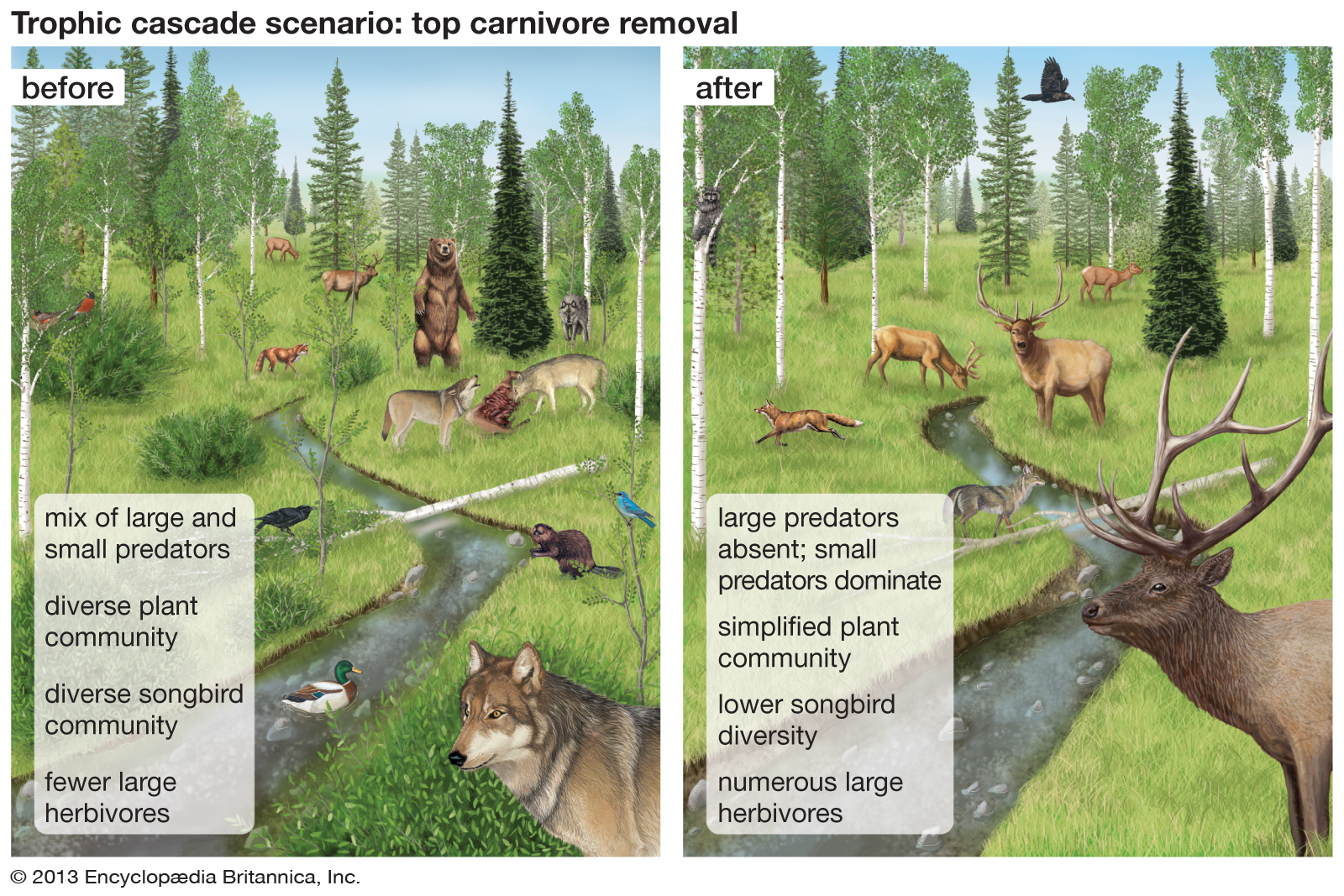
American zoologist Robert Paine coined the term trophic cascade in 1980 to describe reciprocal changes in food webs caused by experimental manipulations of top predators. A trophic cascade is an ecological phenomenon triggered by the addition or removal of top predators. This removal often results in dramatic changes in ecosystem structure and nutrient cycling. In a food chain, an increase/decrease in carnivores causes a decrease/increase in herbivores and an increase/decrease in primary producers such as plants and phytoplankton.
Look closely at all that is missing when the top carnivore is removed (after) (1)
For example, in North America the removal of wolves has been associated with an increase in white-tailed deer. Leading to a decline in plants eaten by the deer. In Yellowstone National Park, the loss of trees has been linked with the removal of grey wolves. From the 1880s-1920s wolves were the target of extermination from Yellowstone National Park. The decrease of wolves led to an increase in eating tree saplings by herds of deer and elk. A ripple effect occurred in Yellowstone leading to a decrease in trees, loosening the soil on river banks, meaning less trees for beavers to dam the rivers, meaning less pools where fish had lived… an exemplar trophic cascade. But all hope is not lost. Over the past decade, grey wolves have been re-introduced to Yellowstone National Park. The grazing patterns of elk have been re-altered allowing more saplings to grow, allowing for more trees to grow and thrive in Yellowstone.(2) (3)
Some would like to ruin my overly-romanticized view of the ecosystem’s symbiosis and how the re-introduction of wolves positively impacted Yellowstone, but we cannot deny that there is a real level of interconnectivity going on. While I do not propose each of us is a predator in the educational system, I will say we are having a real impact on those around us. Sometimes the impact is intangible and unseen, perhaps even seeming unmeasurable, but eventually these connections manifest themselves in many ways: the social media poke we get from a student we had in class decades ago or a direct message asking for help and/or reminding us of our shared experience (Sept. 11 reminders always strikes a powerful cord with me). All of which stem from a level of connection we cannot see in the moment, a level of meaningful connection which says YOU CANNOT BE REPLACED.
Perhaps you have gotten into a slump resigning yourself to a cog-like mentality (I have been there too). You may not feel relevant, appreciated, or that you are making a difference. Now the time to re-introduce yourself to your WHY. You matter, your work matters!
Also, please know, you are NOT ALONE! Wolves live and hunt in packs, these social animals cooperate and are known to roam large distances (4). Our PLN’s too are the embodiment of social cooperation that extends to the entire world! Reach out, share, collaborate…
Let’s Do This!
WanderlustEDU: An Educator’s Guide to Innovation Change, and Adventure.
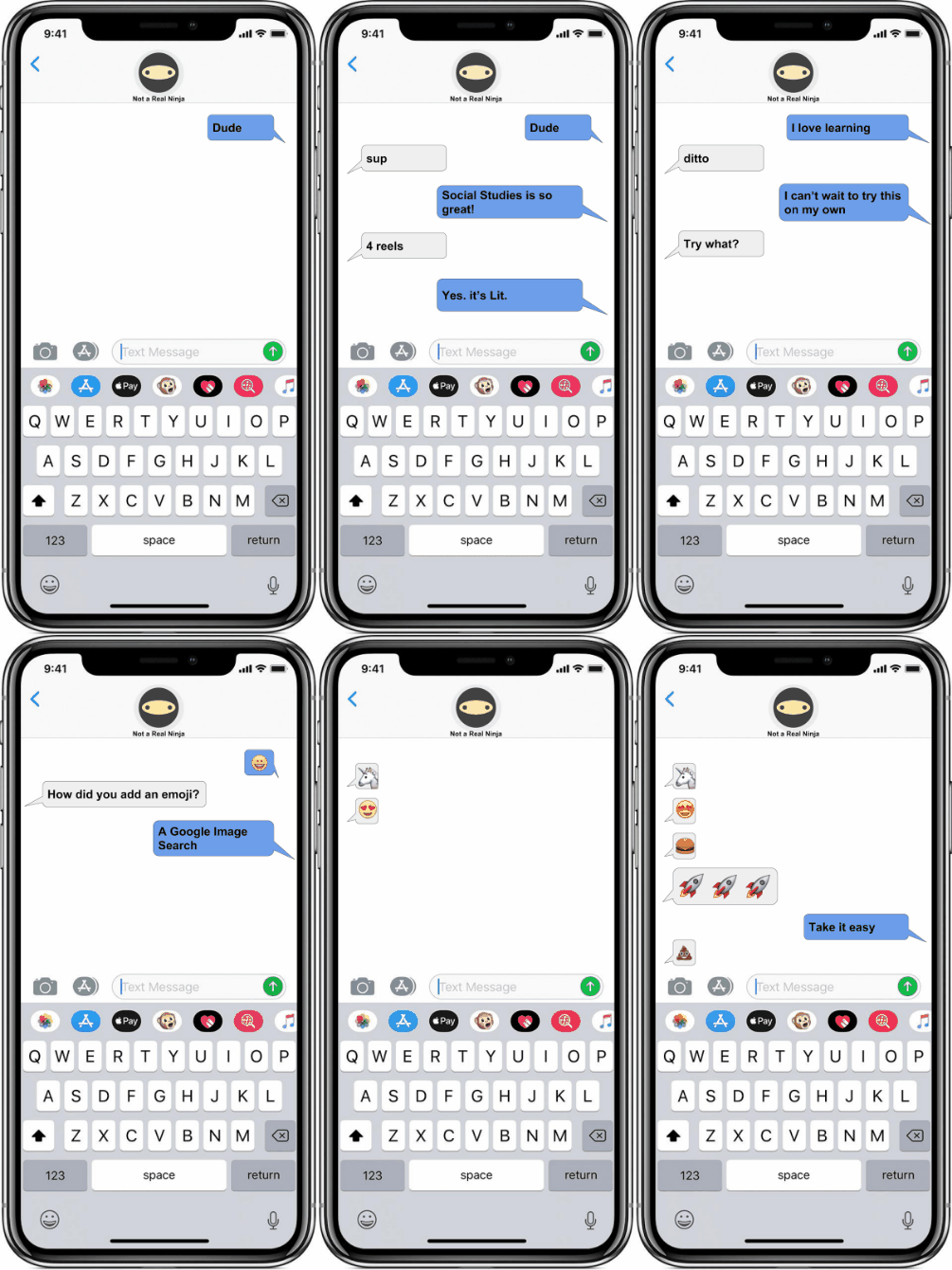
Teaching students to recognize both sides of an argument, and/or have structured conversations centered around class content, regularly finds its place in our classrooms. We teach argumentative essay writing, debate protocols, conversational cues (in all languages), etc… These lessons can be completed through traditional classroom strategies, through podcasting…. and perhaps through texting.
There are a number of websites that let you create a fake text message but I have found many are loaded with questionable (and clickable) advertisements or are just plain blocked in school. To circumvent these roadblocks, I have created a Google Slides deck using an iPhone X frame for inserting text messages in.
The process is relatively easy, you just copy and paste the appropriate shape to keep the conversation going. One of my students called me out on the fact that there is a green iMessage arrow but I made my conversation bubbles blue… thanks Brady, I fixed it for class!.
Students can check their work by previewing the slideshow and clicking the next arrow. One bubble at a time should appear on each slide if they have done it correctly.
Once completed, students can make the slideshow run itself with the following steps in Google Slides:
Click “File”
Select “Publish to the web”
select “auto play” with 2 second transitions
A link will be created that can be shared.
For a bit more of an extension to this activity you can upload the slides to Tall Tweets to create an animated GIF like the one I used.
Our students are texting and communicating via social media on mobile devices quite regularly, perhaps activities like this will provide us with teachable moments in the classroom.
For whatever reason I’ve always thought of podcast is being relatively passe. The idea of audio-only didn’t seem super appealing to my students who are driven by YouTube content. Lately, I have been listening to a podcast from places like Stuff You Should Know and I absolutely love it! So I’ve been trying to think about how this might be relevant for my classroom.
In my social studies classes, we spend a great deal of time working on presentation techniques that are visual. I talk to my students about message design principles to help the viewer engage in the content that the students are trying to present. We look at template-driven applications like Google Slides templates, Slides Carnival, etc… and we also look at video templates like Adobe spark video (which I absolutely love). But all of these examples are really designed to improve visual design skills… designing for audio is equally important.
In an effort to help my students craft a clear dialogue, or writing a message, I decided to try podcasting. Since we were studying FDR and his Fireside Chats it seems like the perfect opportunity to focus on audio message design. I was inspired by the work of my friend Alicia Johal (www.aliciajohal.com) who uses podcasting with her students. Alicia shared her template with me for Designing and planning effective podcast.
Alicia pointed me to Anchor.FM which is a great place for students to create an actual working podcast that they can publish. It even has a monetizing feature which is very effective for our Youtube-Follower generation.
One of the principles I share with students when podcasting was that it’s about 125 words per minute, a 3-5 minute podcast need to have 400 to 500 words in order to fulfill the time requirement. The idea of scriptwriting was not well received, the students appeared very intimidated, in response, I created a very simple video* example of how to get started.
*Please note, this example should be paired with a discussion about correctly citing sources.
To help my students record podcast in a crowded room I found for them what I called recording studios. Our recording studios were actually cardboard boxes used for photocopying. We’ll use these boxes to put are Chromebooks and so that when we recorded we wouldn’t pick up the audio other around the room. Overall are recording studios worked out really well and soothing podcasts were relatively clear concise.
I’m very happy with the way this project came out. Here’s an example of some of the student recordings.
There are times in a school year when we are able to try things out with students with less risk (meaning failure is ok). For me, one of those times is often found at the end of the school year and final exams are finished for the content goals and objectives are complete, it’s at these times I like to try out something new.
Recently, I asked my students to bring whatever devices they had access to from their homes to school if their parents would allow it. Being 7th graders I wasn’t too sure how many of the students would be allowed but nearly 70% came back to school with the devices. So we set out to employ BYOD (bring your own devices) with augmented reality.
I started by asking the students to download several apps including Merge Cubes’ Galactic Explorer and Google Expeditions. I realized employing students own devices in an activity of this nature would bring to the surface very quickly any problems one might have with multiple (different) types of devices and operating systems. My student phones ranged from iPhone 5, 6, 6s, 7, 8 and 10 to HTC, Samsung, Pixels etc… Admittedly there was a lot of troubleshooting going on in my classroom during this augmented reality and virtual reality experience. I found that with my own Pixel to lead with Google Expeditions I needed to go into airplane mode so that my students with various devices could join. I also realized a key problem: that several students did not have an updated AR Kit (iOS) for AR Core (Android) which would allow them to really engage In the augmented reality experiences being offered.
NOTE: Having class-set of common devices (like an iPad cart) can allow you to quickly troubleshoot and set up for more successful engagement.
Merge Cube’s Galactic Explorer
Galactic Explorer by Merge VR
Galactic Explorer by Merge VR allows students to very quickly experience augmented reality in very impressive ways. This is a target based form of augmented reality meaning the Merge Cube needs to be in the sight of the phone’s camera in order to initiate the augmented reality experience. Galactic Explorer is an experience that shows students the solar system. Students can rotate the cubes and rotate their phones to see different celestial bodies from different perspectives and view an information pop-up about the planet they were viewing. I recorded a little bit of the experience my classroom and when I re-watched it I was excited to hear my students say “Oh, wow!” as they saw the different celestial bodies pop-out of the Merge Cube for the very first time. All I could think about was how cool it would be to have student created oral reports in a science class based on the solar system since students in Merge Cube are also able to record their experience so they could have a video of themselves talking about a planet while they hold it in their hand.
My colleague Ray Finney (@FinneyRaymond) posing with the Universe
Google Expeditions
Google Expeditions
Google Expeditions has traditionally been a virtual reality platform that allows teachers to lead students on 360-experiences with content from all over the world. Most recently Google has released an update with Expedition’s that allows for augmented reality views of new content. In this AR experience, teachers can use targets around their classroom to lead students in the exploration of 3D, computer-generated models. All while leveraging one of the most powerful aspects of Google Expeditions… the shared experience. A whole class can have a conversation about what they’re all seeing together.
In my most recent use of Google Expeditions AR experiences, I brought my students outside and connected all of our devices together through a wireless router.* Outside, my students examined Leonardo da Vinci’s machines. I was struck by how the context of our learning really contributed to what they were seeing, meaning that my students were able to see natural resources everywhere trees, dirt, sand, grass, etc… and then look at da Vinci’s three-dimensional computer-generated models that were created Buy DaVinci using this very same natural resources. What struck me is that students were given an in-the-moment experience that was related to their immediate surroundings and allowed for them to retain a sense of mindfulness and awareness of the environment in which the great Renaissance Inventor, Leonardo da Vinci, was able to invent over 500 years ago.
Helping students to understand the power of technology, that many have access to, is a step towards preparing students for their future. While not every student has access yet, we can be assured that costs will come down and power will go up… see Moore’s Law. I believe an ancillary, teachable moment, in classroom experience I have described here, is perseverance… Yes, it needs to be taught. Yes it’s ok if students see us fail and troubleshoot. They need to know adults do have to figure stuff out and sometimes we are not as put together as we may appear 😉
*NOTE: I’m using a wireless router to connect to devices not through the internet but through a Wi-Fi connection. We often use the word Wi-Fi as a synonym for internet when actually Wi-Fi is a communication tool similar to Bluetooth that allows devices to communicate with each other. So using an old router and a phone charger with a brick I’m able to have our Devices connected by Wi-Fi.
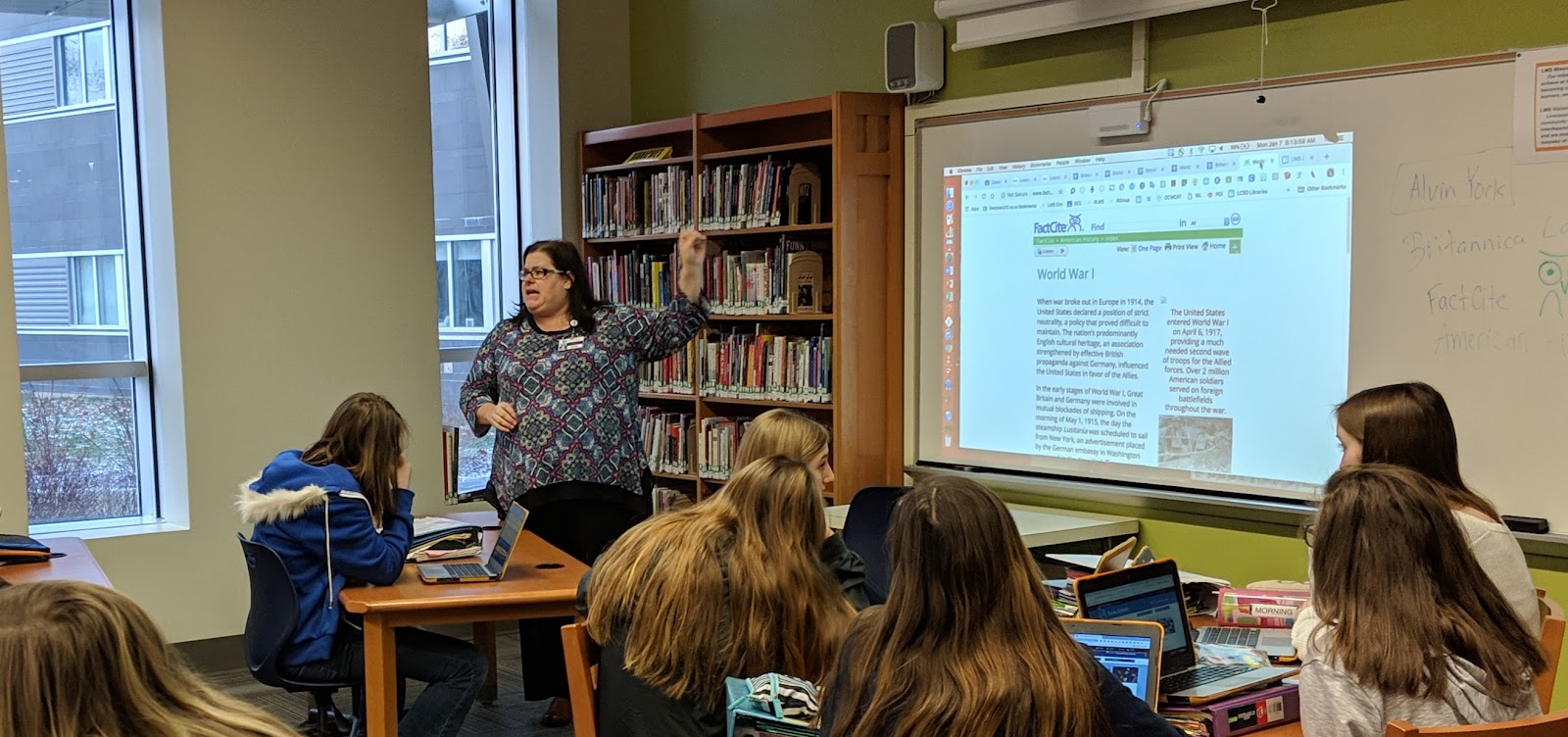
The game design project described here was an interdisciplinary lesson between our eighth-grade social studies, technology, and library classes. With insight and support from Jon Spike, professor of Game Design and Learning at the University of Wisconsin – Whitewater.
Project Introduction
World War 1 started in 1914 and began an era of warfare unlike any other in history. As it was fought during a time of great change, the new technologies and amount of casualties created were staggering in comparison to wars fought even just a few years prior. These weapons not only changed the fighting they also changed the preparation needed by opposing sides. After all, most nations sent off soldiers to fight on horseback and with slow loading rifles. By War’s end the following innovations had been introduced: tanks, planes, machine guns, flamethrowers, grenades, gas weapons, as well as updates to submarines. During this project, students will work with a design team to research and develop a game that conceptualizes the impact of these technologies on World War 1.
We started our project with a brief discussion about gaming using two World War One games. Students played these content-specific games and we discussed historical accuracy and playability.
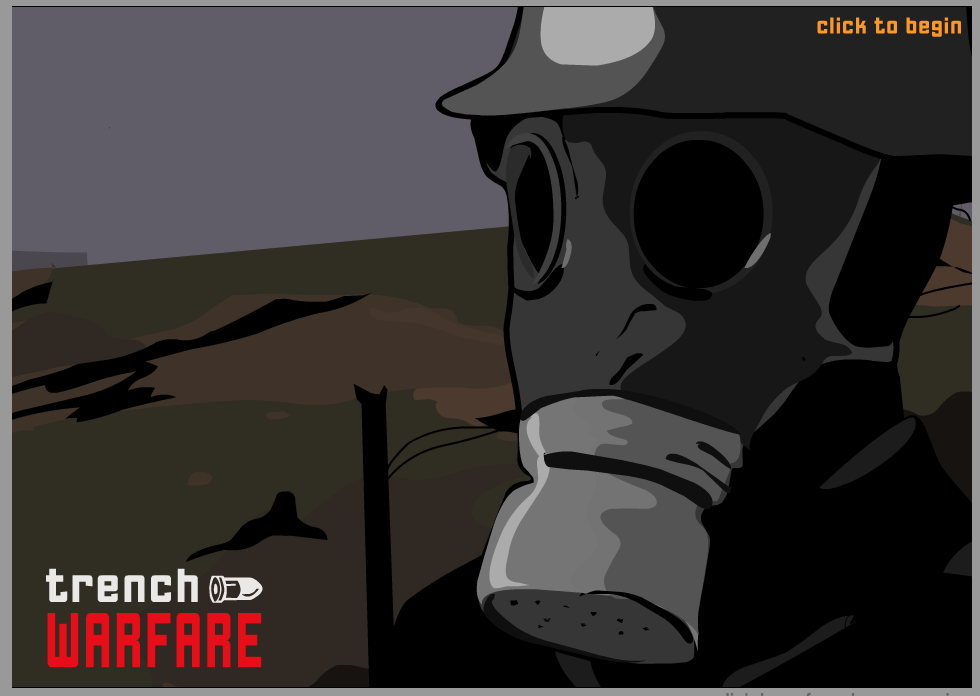
Trench Warfare Game: Experience the danger of a First World War battle. Can you win the day, or will you be responsible for thousands of deaths? Select your tactics and weaponry for four unique missions. http://www.bbc.co.uk/schools/worldwarone/hq/trenchwarfare.shtml
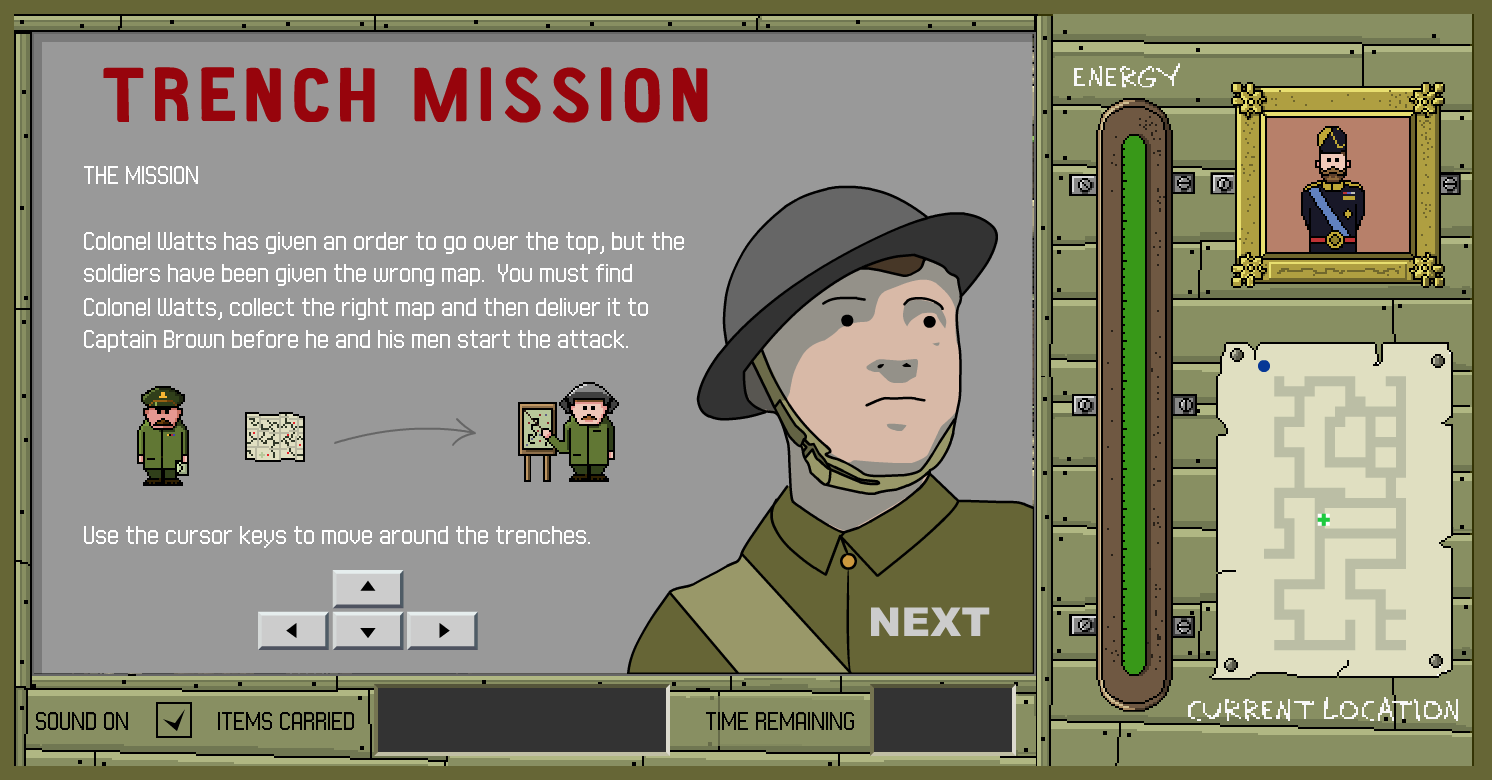
Trench Mission: Colonel Watts has given an order to go over the top, but the soldiers have been given the wrong map. You must find Colonel Watts, collect the right map and then deliver it to Captain Brown before he and his men start the attack. http://www.nationalarchives.gov.uk/education/greatwar/g3/game/default.htm
Connecting with an Expert in Game Design
“A game is a series of interesting choices.” – Sid Meier
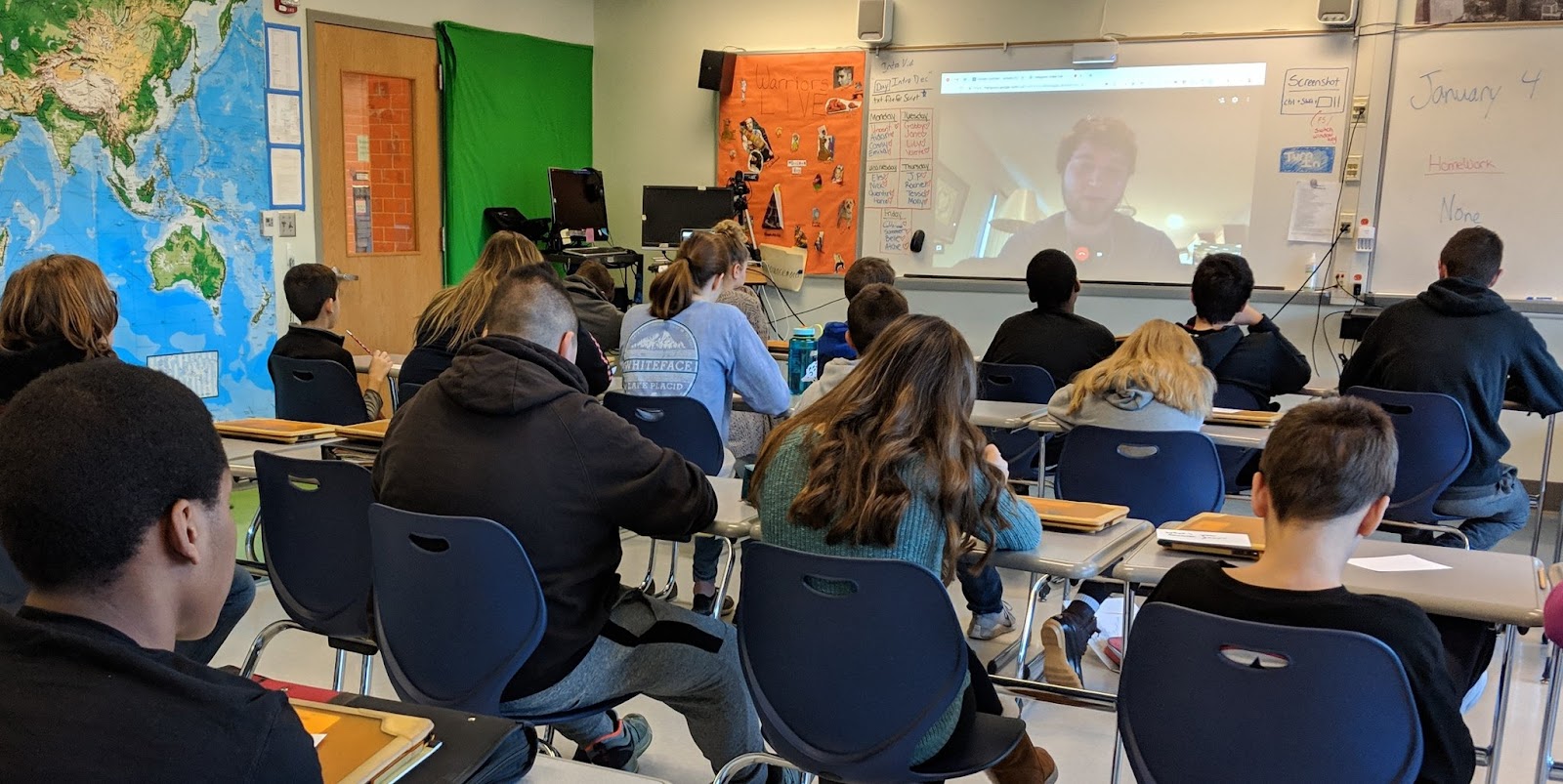
Before diving into our game development we hosted a Class Video Chat (1.4.19) with Jonathan Spike (@Mr_JSpike), professor of Game Design and Learning at the University of Wisconsin – Whitewater. Jon is a Google Certified Innovator specializing in building games for education: www.gamestormedu.com. Jon was generous enough to meet with all five social studies classes throughout the day.
Jon spoke with students about the importance of choices and prototyping in the game design process. Students were encouraged to make their game unique with a relevant challenge for their character(s). Jon also spoke about the importance of empathy in gameplay developing the concept of making choices for a character in a specific game context. The hardest part of game design, according to Jon, is connecting the goal of the game with the actual gameplay experience.
WW1 Game Project Details
Project Criteria
Changes in Combat Technology Incorporate 2 items/topics from each of the 6 categories in Changes in Combat Technology list.
Game Maps Build a map based on World War 1 battlefields
Game Builder Guide Choose one game builder from the Game Builder Guide.
Grades:
Game design is about teamwork, students served as a member of a team and each of student needed to play to their strengths for the creation of the best game possible. Students received a homework grade for individual research completion and an individual homework grade for job completion (below).
Research: Each student was responsible for researching two items from the categories below. Students were directed to include the researched items in their final game. As a team they made sure that no two were researching the same items, this will allow the most widespread research to be conducted. Each student will turn in a Google Slide show with 2 slides, one slide for each topic researched. Each slide had:
2 sources cited (MLA)
A paragraph describing what was researched and its impact on WW1
A picture of the item researched
Jobs: Here are the game design jobs students needed to choose from*:
Musician
Develop a Game Soundtrack for a video showing the game intro and gameplay. Students used GarageBand skills learned in Technology Class.
Storyteller
Create an Intro Video Script including text and images to be displayed in a 30-second intro. The Storyteller wrote a document that included an introduction to the game and the rules.
Artists
Design Game Graphics for the game includes images, map/game board, and a team logo.
Cinematographer
Capture/Record images and videos to be used in the iMovie. Also, create a Google Drive Folder for the whole group to share resources for video production.
Video Editor
Produce a Game Movie using iMovie, that includes a 30-45 second introduction to the game (trailer) and 30-45 seconds of gameplay. This grade will be assigned by Mr. Finney and apply to Technology class and Social Studies class. Here was Mr. Finney’s Sample Video: https://www.youtube.com/watch?v=3R53IUNlbK8&feature=youtu.be
Changes in Combat Technology
GUNS Machine Guns New Rifles New Bullets (Tracer)Pistols Artillery
PLANES & AERIAL TECH Biplanes Dogfighting Interrupter Gear and Mounted Guns Zeppelins Reconnaissance Drones Air Traffic Control
TRENCH WARFARE Trench Construction “No Man’s Land” Flamethrowers Hand Grenades Trench Foot Disease
POISONOUS GAS Chlorine Gas Mustard Gas Phosgene Tear Gas Gas Masks
TANKS Little Willie British Tanks – Mark French Tanks – Renault German Tanks Anti-Tank Weapons
Game Building References
Game Maps
The game students design should be based on key battles from World War 1. Students must identify the battles right in the game. Further, game maps should demonstrate damage already done to European lands, for example, students were asked to think about bombs being dropped and explosions on a flat landscape and how that would change the earth to literally look different, the map that of gameplay should illustrate this.
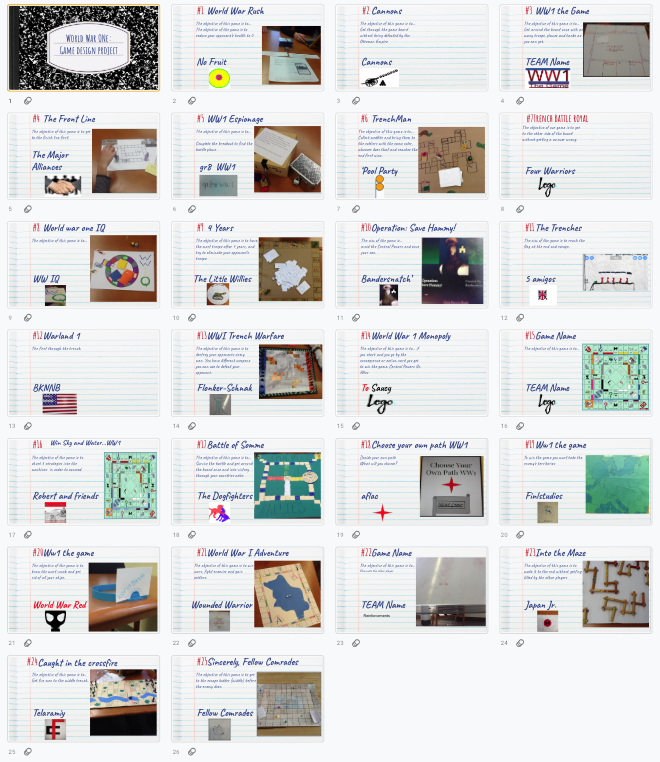
Click here to view student game objectives and snapshots.
Also, check out these Choose Your Own Adventure Games created by students in this project. These slides are intentionally formatted for portrait mode viewing on a phone or tablet… to function as a web app.
Nearly 200 students were provided with the opportunity to play the games over several days. Students who played the games were asked to provide reviews of the overall game quality, historical quality, and gameplay experience.
After the reviews were completed, students were lead in a discussion around how to review feedback. For example, some games received over 20 comments and reviews while others only 3. The students receiving 20 comments may not have had all positive reviews, but we discussed how that many reviews meant their game design and appearance were attractive enough for people to try the game out.
Selected Student comments about the project experience
How did you decide which people you wanted in your group? Did things work out the way you wanted?
For the most part yes, I had my friends in the group and we worked well together, and communicated good. We even talked outside of school about different ideas we all had. But because we were friends sometimes we got off task, but it didn’t take long for us to get back on track to what we were doing.
I decided the people who would be in my group by what which person is good at like we had one person good at editing and one good at drawing, and etc. At the end it worked out well even though we had disagreements through out the project week.
I worked with my friends but that wasn’t a good idea, we got nothing done. Things did not work out how I wanted.
What game platforms did your group discuss? How did you decide which one to go with? (game platform means boardgame, cardgame, video game, etc…)
We discussed board game and video game, we decided to go with video game because it seemed like a unique idea to do and seemed like it would be more entertaining to people
We decided to go with a breakout Edu because they are fun and easy to set up. Not only are they fast to set up they can also be interesting to play. We had to decide what it was going to be and it was that you had to get germanys battle plans.
We decided to go with a game board because we thought it would be easier to make cause we based it off monopoly.
My group only discussed board games, because we all had ideas for board games. Instead of picking one idea we merged all of our ideas.
How did prototyping help you design your game? (prototyping is when you had other groups try out your game)
This helped us because we needed an outline and a sense of direction in order to make the final product.
It helped us with our game by getting feedback from other people and then we could make our game better.
By prototyping we were able to see the flaws in the game and change them so they were better.
Protoyping helped us design the game by getting back their feedback and fixing the areas that needed improvement.
Prototyping helped are game because they told us what they did not understand in are rules so then we had to fix them for they can understand better and enjoy playing.
It helped by showing the process that we could use to make our game.
We looked through the game types and we chose from there. It was a clear understanding of each game.
I used this website to see what important things were needed to include in my game.
We used Jon Spike’s game storm EDU by looking at what kind of board games we could make and the different types of games you could make so we could figure out what we wanted to do.
We used it to get ideas for the cards, design of the board and objective of the game.
What did you learn from the most difficult part of the project?
I learned that some ideas just cannot be accomplished and the final product will not turn out perfectly.
The directions and setting it up so other people who have never played it before could play it easily.
I learned that you have to have patience when working in a group. Sometimes it may be chaotic and they may be unprofessional, but to make things work, patience is key.
You have to make sure your rules make perfect sense to other people so they play the game correctly.
I learned that coming up with a story and brainstorming is a difficult task. I learned to bounce ideas off of other people even if you think they are bad.
I learned from the most difficult part of the project that we can’t rely on people to get the job done on their own, we have to check in with them to make sure their job is done.
Project Insights
Putting the cart before the horse… many students have trouble approaching the project with an open mind regarding platform. They decided very early whether or not they want a board game or a video game. I do not think this is necessarily a bad thing, but it would be good for students to think about what would tell the story best rather than how to tell the story in a particular medium.
Remixing a Game: Team Icebreaker (1)
Goals
• understanding how changing game rules change the system of a game
• introduction to the iterative process
• icebreaker game design exercise
Before the exercise
Through class discussion, make a general list of the rules of Tic-Tac-Toe. For example:
1. play takes places on a 3×3 grid
2. two players alternate turns to place an X or an O in an empty square
3. three of the same symbols in a row wins
4. if no one can play, the game ends in a draw
Then discuss why Tic-Tac-Toe always ends in a draw for most players. Have the class brainstorm what they might modify in order to change the game: the grid size and shape, the number of players, the winning conditions, the things you can do on a turn, etc.
Modify!
Pairs of students try to redesign the game in order to increase the space of possibility of the game – to make it more interesting to play than the “solved problem” of classic Tic-Tac-Toe.
As they design, have them change as little as possible – one, two, or three rules at the most. They should follow the iterative process of making small changes, playing their modified version, analyzing how they affected the game, and then redesigning again.
Finally, groups can share their modifications with the class, and what did and didn’t work. If there are too many groups for everyone to share, then pairs of groups can play each others’ games and discuss.
At this point, I’ve seen my students create hundreds of variations of Tic-Tac-Toe. My favorite was an exceptionally elegant variation where nothing was changed – except the winning condition. If you got 3-in-a-row, you lost. Playing this version of Tic-Tac-Toe means trying to force your opponent to make what we normally consider a “winning move.” As a minimal rule-change that turns the “solved” game of Tic-Tac-Toe into a brain-twisting puzzle, I loved that modification.
Jon Spike recommends doing this same style activity but by remixing chess. Even if people do not know how to play chess, there could be some really imaginative remixes.
Writing Directions
A great deal of the feedback for students was about how the directions they provided were unclear.
Jon Spike says “Start with the objective. How do I win? It doesn’t matter what I can do on my turn or the abilities I have if I have no idea what I’m trying to do… Have them read board/card game manuals and discuss what they notice.”
I highly recommend running students through some directions writing exercises like:
How to make a peanut butter and jelly sandwich
Have students write out Text only directions for making a sandwich.
Compare and contrast the steps other people listed
ASK: What are we assuming about the sandwich maker? Perhaps that they have made one before? This is not always a safe assumption.
Next: Have students draw Images only directions for the same process.
Again they should compare with others and discuss assumptions
We hope these two activities will help our students write clearer directions to maximize user engagement.
I love maps. There are tons of great mapping resources out there: Google Earth, Maps, and Streetview to name a few. Google MyMaps is another one that allows us to annotate pretty significantly.
When I first rolled out MyMaps to my middle school social studies classes, one student went home and immediately traced out the 50 states!
Wow, I wish I had that kind of time and energy!
MyMaps has been well received as a useful tool in my social studies classroom for increasing our understanding of geographic factors on historical events. As you have probably gathered, I could go on and on about MyMaps… but this post focuses on using these awesome Geo tools in a little different way supported by Google’s Applied Digital Skills program.
This school year I have been using Google’s Applied Digital Skills program to teach my Social Studies students. I began with the If-Then Adventure Story Lesson and remixed it with a geeky-process of creating our own app about the Ellis Island Immigration Process. Next, I taught students about researching with trusted content by using the Research and Develop a Topic Lesson.
When my classes studied World War 1, I used the Guide to an Area Lesson to pre-teach the content. Rather than guide a random area of interest, this lesson was remixed to support research and a geographic understanding of Places and Events that were significant to our study of World War 1. We used Lesson 1 and Lesson 4 to gather data in a spreadsheet (Lesson 1) and import the data into a Google MyMap (Lesson 4). Lesson 2 and 3 are great but time was an issue and I needed to modify the accordingly.
Here are the particular steps I gave my students to adopt the Applied Digital Skills Lesson as a relevant resource in my classroom.
To begin have students…
Go to the Applied Digital Skills website.
Log in
Select “I am a Student”
Enter this course code: __________
Begin the “Guide to an Area Lesson”
Lesson 1
Students completed Videos 1 and 2 and when they got to video 3 they modified their spreadsheet using my notes.
Video 3 NOTES
TITLE your Spreadsheet: “Guide to an Area: World War 1 Places and Events”
YOU NEED to identify information for the locations/events provided in class, with a MINIMUM OF ONE EVENT PER YEAR FROM 1914-1919. Use your Prentice Hall: America History of Our Nation (textbook) pages 706-711, the map on page 719, and page 724. For example, page 707 starts with the “Assassination of Archduke Franz Ferdinand.”
Continue to find detail about each location through a Google Search. Keep track of your sources in the Sources columns. Every event must have two sources.
Continue to Lesson 4 in Applied Digital Skills.
Completed steps for Video 3 look something like this:
I had to have conversations with my students about spreadsheet cells and how text is “hidden” when not wrapped. Students then followed the steps in Lesson 4 about how to “Make a Custom Map” which explained the process of importing the spreadsheet into Google MyMaps.
I have been working with my Social Studies students to create critically sourced and clearly written work related to our course content. Research has always been near and dear to my heart, but I recognize the same enthusiasm does not always exist for my students… it turns out they have minds of their own. In an effort to best meet my students’ needs at their own pace, this school year I have been using Google’s Applied Digital Skills program. The Applied Digital Skills program allows me to serve as a guide on the side (rather than the sage on the stage) to provide on-demand, in the moment help when my student need it… I have been using a genius bar system to provide this help.
One lesson I have used is the Research and Develop a Topic Lesson with some course requirement modifications and additions. In fact, for my classes, I only used Lesson 1 and 2 with modifications (below) for Lesson 2 and additional requirements for source citations. Lesson 1 included a fun activity for students to understand (through creation) credible sources. Lesson 3, which I did not use, is an excellent extension activity for students who moved through the directions at a faster rate.
Lesson 2 Modifications and Additions
Notes for Video 4: Write a Paragraph About Your Topic
CREATE A GOOGLE SLIDE DECK with ONE SLIDE PER HISTORICAL FIGURE (rather than the Google Doc the video asks you to create) to complete your research on the following four historical figures:
John D. Rockefeller – Standard Oil
Andrew Carnegie – Steel
Henry Ford – Automobiles
Cornelius Vanderbilt – Railroads
Include sources as the video instructs but also add one image of the historical figure as well.
The project must only include 4 slides, one per figure. All content must fit on the slide. Each slide is required to have:
Title (name in any font and color)
Photo or Painting (face)
5-8 sentence paragraph that has been edited at hemingwayapp.com*
3 Sources cited using Apogee 2**
Paragraph and Sources are in Size 11 font ARIAL in Black. On a WHITE BACKGROUND slide.
A few notes about my additions:
*HemingwayApp
First, I have found the Google Slides format to be super clean for inserting images and it looks good in the Google Classroom Grading screen. Next, the website http://hemingwayapp.com takes you to the Hemingway App (a website not necessarily a downloadable). The Hemingway App is a personal favorite of mine as it allows you to gamify editing. Editing your own work can be rather difficult since when we read our own work we often autocorrect in our brain adding punctuation and words were needed. This website will help us to take steps toward writing more clear messages. This screenshot shows the main page:
Students will cut and paste their text into the Hemingway App where the Readability will be assessed (1). I encourage my middle school students to aim for a Grade 6 – 9 readability level (2).
This can be a bit frustrating when students see they are writing at a post-graduate level according to the Hemingway App, but the reality is they have often copy-pasted too much of someone else’s work or that the student’s writing is just not clear. I want to help my students write clear messages in their own words, the readability tool can help with that. Further, in the Hemingway App adverbs, passive voice, and difficult to read sentences are highlighted. I tell my students it’s like playing a game, their job is to make all the colors/errors go away.
**Apogee 2 Citation Creator
The fast citation tool available through Google Docs “Explore Button” is great for quickly citing work, but it does not always provide the more rigorous citation that I require of my students. Apogee 2 Citation Creator (3) is an excellent tool to bridge this gap. This free extension will allow students to quickly generate a citation for any page they visit. The citations will provide a “credibility score” out of 10. This score is based on the amount of information in the citation. No Author (n.a.) and/or No Date (n.d.) of publication will reduce this score… students can, of course, enter this manually.
Google Slides is one of my favorite G Suite programs since it is so versatile. I have shared many times that my favorite hack or use of Slides is to build your own app with it (see “Create your own “My School App” in Google Slides for mobile devices”). When using this app process with my students on a recent project (Gaming, VR Exploring, and App Building: The Ellis Island Hack-A-Thon) I found that, while in presentation mode, some students would click on the empty space in the slide and auto advance to the next slide which completely circumvented their app design.
My strategy to stop Google Slides from auto-advancing is to insert a shape that covers the whole slide and link it to the existing slide. Additionally, text boxes that are not buttons must also be linked to the existing slide. This video explains the whole process:
Think: Lord of the Rings, Harry Potter, or Star Wars, every good quest-adventure story has a team of contributors, each with a special skill set that contributes to the team’s successes. They fumble about lampooning the human experience on their way to epic saga-like success. We are often engaged by both their plight and how we can relate to them. A key character in these stories is the hero, or champion.
If you are reading this blog post it is likely that you are the champion, my friend, and that you will keep on fighting until the end, since there’s no time for losers, cause you are the champion of the world…. but I digress.
Champions
Many champions feel more like an imposter than an expert or leader. Perhaps it is this feeling that drives champions to keep learning and growing toward mastery. The mastery for the future is not in a tool or workflow solution, it is found in innovativeness, in the champion’s ability to change.
A champion is someone that is instrumental in successfully guiding projects through the approval hurdles: displaying persistence, expressing strong conviction in the innovation, and involving key individuals.1 In our quest for innovativeness we can embrace this role for ourselves and/or find allies within these ranks. The adoption of an innovation by an organization is more likely if key individuals (champions) are willing to support the innovation.2
This willingness is extremely important. We can very easily take the role of bystander in our school community. The bystander effect3 is a scary aspect of the human experience that we must all work against. It explains to us that we may look at a problem as “not ours” or that “someone else will take care of it.” This is a paralyzing condition that actively works against positive change in our schools. Champions are just the people who believe in positive change.
Champions are the organizational mavericks, they exist within a system but are given autonomy to explore alternative, creative solutions. They can be transformational leaders, who harnesses support from other members of the organization.2 The impact of a champion on both the adoption and sustainability of an innovation is undeniable. Selecting individuals who display these particular champion behaviors can increase the probability that adoption of innovation occurs.1 A champion in the organizational adoption process is someone who possess the certain attributes and skills. Champions are credible experts and planners that can network well with colleagues since they are perceived as sensitive to colleagues needs by demonstrating an objective approach to finding meaningful solutions. An innovation champion must be tenacious, assertive, decisive and should instill passion and positive thinking in the innovation process.4
Adopters
You can take a personality test, a learning style inventory, or even a which-character-are-you quiz, but I would argue the power of meaningful self-perception. Perhaps a better title for this chapter would be “Who do you think you are?” It is extremely important that we recognize our strengths and weaknesses in our professional practice, such recognition can lead to real, positive growth. While you may take up the role of champion as a general way of perceiving your fit within your school system, we may find ourselves identifying with one adopter category or another when discussing emergent technology. We call these categories: Innovators, Early Adopters, Early Majority, Late Majority, and Laggards.5 Adopter categories can be illustrated on a bell curve on the basis of innovativeness.
Read through the descriptions below with one type of emergent technology and see how you fit. For example if the topic was gaming in the classroom: who do you think you are?
Innovators: “Lets do this!”
Innovators are interested in new ideas from outside of established local social system. Able to understand and apply complex technical knowledge. Innovators must be able to cope with a high degree of uncertainty about an innovation at the time of adoption. Innovators are risk takers, they learn from failure like a gamer.
Early Adopters: “Describe the value in it and how to do it and I am all in!”
Early Adopters are invested and respected in the local school community. They are cautious and want their efforts informed by research if not best practices. Early Adopters are not known for risk taking, but have a reputation for well-thought out execution of emergent technology. Change agents seek this group out a local voice missionary for speeding the adoption of innovation.
Early Majority: “Show me my colleagues using it and I will try it too.”
The Early Majority adopt just before the average person making them an important link in seeing the adoption process successfully take off. The Early Majority wants to employ best practices based on the experiences of Innovators and Early Adopters. They will make the necessary changes but do not want to go first.
Late Majority: “I am a team player, I will support this but I probably will not be the best at it.”
The Late Majority adopts just after the Early Majority. They adopt sometimes due to economic pressure, peer pressure, or both. The Late Majority must see the innovation as already being successful before they adopt. You might call the Late Majority our “team players” since they are willing to join the other adopters once they realize it is for the greater good. The Late Majority may not be super excited about technology of any particular kind but they make the change for the benefit of their school community.
Laggards: “I am not convinced this will benefit my classroom. I have done fine without it.”
Laggards are near isolates in the school community. Their point of reference is past practice and past perceived successes. Laggards must be positively certain that a new idea will not fail before they can adopt. They are concerned about being blamed if the innovation fails to yield expected results.
A review of these adoption categories is relevant for several reasons, it will help us predict how our colleagues may feel about adopting emergent technology, and this review will help us understand how to find Early Adopters who often have respected Champions in their ranks. Further, these adoption categories help us to better understand the sphere of influence each adopter has. For example, an Innovator can inspire Early Adopters and potentially some Early Majority, but would be hard pressed to motivate a Laggard. Why? Innovators can be seen as people doing some pretty far out there stuff, beyond the skill set of later adopters. Innovators, by definition are risk takers, they accept failure in a ways that make some people uncomfortable. This is why Early Adopters often serve as more effective Champions, they make up a larger percentage of people and have a reputation for a more measured approach to adoption.
Derek Siver’s Ted Talk “The First Follower: Leadership Lessons from a Dancing Guy”6 illustrates the importance of Early Adopters in the Adoption process (If you have not seen this three-minute video, please check it out). Siver’s explains that a Leader (Innovator) has the guts to stand out and be ridiculed, but that does not start a movement. The First Follower (Early Adopter) who joins the Leader validates the movement (Adoption) and makes it appear less risky for others to follow. These Late Adopters model their behaviors of after the First Follower, not the Leader. The movement gains momentum and then we see a real shift in cultural adoption. In this account, we must understand that the Leader treats the First Follower as an equal, as a co-leader.
Additional key roles include opinion leaders who have informal influence and change agents who positively influence innovation decisions. Change agents work to develop a need for change on the part of the client, establish an information-exchange relationship, diagnose the client problem, develop an action plan, implement, and shift the client from reliance on the change agent to self-reliance.5,7
Decision Making
If you are a decision maker for a school or organization there are multiple types you might consider which affect the adoption of innovation process. These types might even be considered steps toward adopting innovation: (1) Optional innovation-decisions, (2) Collective innovation-decisions, and (3) Authority innovation-decisions.
Optional innovation-decisions: The choice to adopt or reject an innovation is made by an individual independent of the decisions by other members of a system. The individual’s decision can be influenced by the norms of the system and by communication through interpersonal networks.5 An example of this may be a teacher from a school choosing to go paperless at their school while their colleagues continue to teach with paper.
Collective innovation-decisions: The choice to adopt or reject an innovation is made by consensus among the members of a system.5 An example of this may be like the above-mentioned person, except at a department level choosing to go paperless.
Authority innovation-decision: The choices to adopt or reject an innovation is made by a relatively few individuals in a system who possess power, high social status, or technical expertise.5 An example of this may be where upper-level leadership has decided their school community will go paperless so they will no longer purchase printers, ink or service photocopiers.
As a leader, if you were to allow your Innovators and Early Adopter, the flexibility to make optional innovation-decisions. Their successes may naturally lead the Early and Late Majority joining them in a collective innovation-decision. Finally, it may take the authoritative approach to move the Laggards forward in the desired adoption.
If perhaps you were to approach this same list of categories with topics like Virtual and Augmented Reality, the Maker Movement, Coding, and/or Robotics… you may find yourself in a different adopter category. The Maker Movement’s Innovator may also be the Robotic’s Laggard, and there’s nothing wrong with that. We all learn and grow at different speeds and in different ways. Identifying the value of emergent technology within the context of our classroom needs and content is the first step toward becoming a change-agent in our professional communities. The level of perceived relevance in our classroom will likely inform our adoption category and approach with any innovation. Once a specific innovation becomes a seamless part of our classroom we have reached the pinnacle of innovative adoption.
Image Credit: Chris Stein, a superstar Teacher, and illustrator Extraordinaire!
Greenhalgh, T., Robert, G., Macfarlane, F., Bate, P., & Kyriakidou, O. (2004). Diffusion Of Innovations In Service Organizations: Systematic Review And Recommendations. The Milbank Quarterly, 82(4), 581-629. Retrieved from: http://onlinelibrary.wiley.com/doi/10.1111/j.0887-378X.2004.00325.x/full







 Innovators are interested in new ideas from outside of established local social system. Able to understand and apply complex technical knowledge. Innovators must be able to cope with a high degree of uncertainty about an innovation at the time of adoption. Innovators are risk takers, they learn from failure like a gamer.
 Early Adopters are invested and respected in the local school community. They are cautious and want their efforts informed by research if not best practices. Early Adopters are not known for risk taking, but have a reputation for well-thought out execution of emergent technology. Change agents seek this group out a local voice missionary for speeding the adoption of innovation.
 The Early Majority adopt just before the average person making them an important link in seeing the adoption process successfully take off. The Early Majority wants to employ best practices based on the experiences of Innovators and Early Adopters. They will make the necessary changes but do not want to go first.
 The Late Majority adopts just after the Early Majority. They adopt sometimes due to economic pressure, peer pressure, or both. The Late Majority must see the innovation as already being successful before they adopt. You might call the Late Majority our “team players” since they are willing to join the other adopters once they realize it is for the greater good. The Late Majority may not be super excited about technology of any particular kind but they make the change for the benefit of their school community.
 Laggards are near isolates in the school community. Their point of reference is past practice and past perceived successes. Laggards must be positively certain that a new idea will not fail before they can adopt. They are concerned about being blamed if the innovation fails to yield expected results.